Build an employee onboarding hub
Outcome: A new colleague can see what to do first, who can help, and where the next stage of onboarding lives.
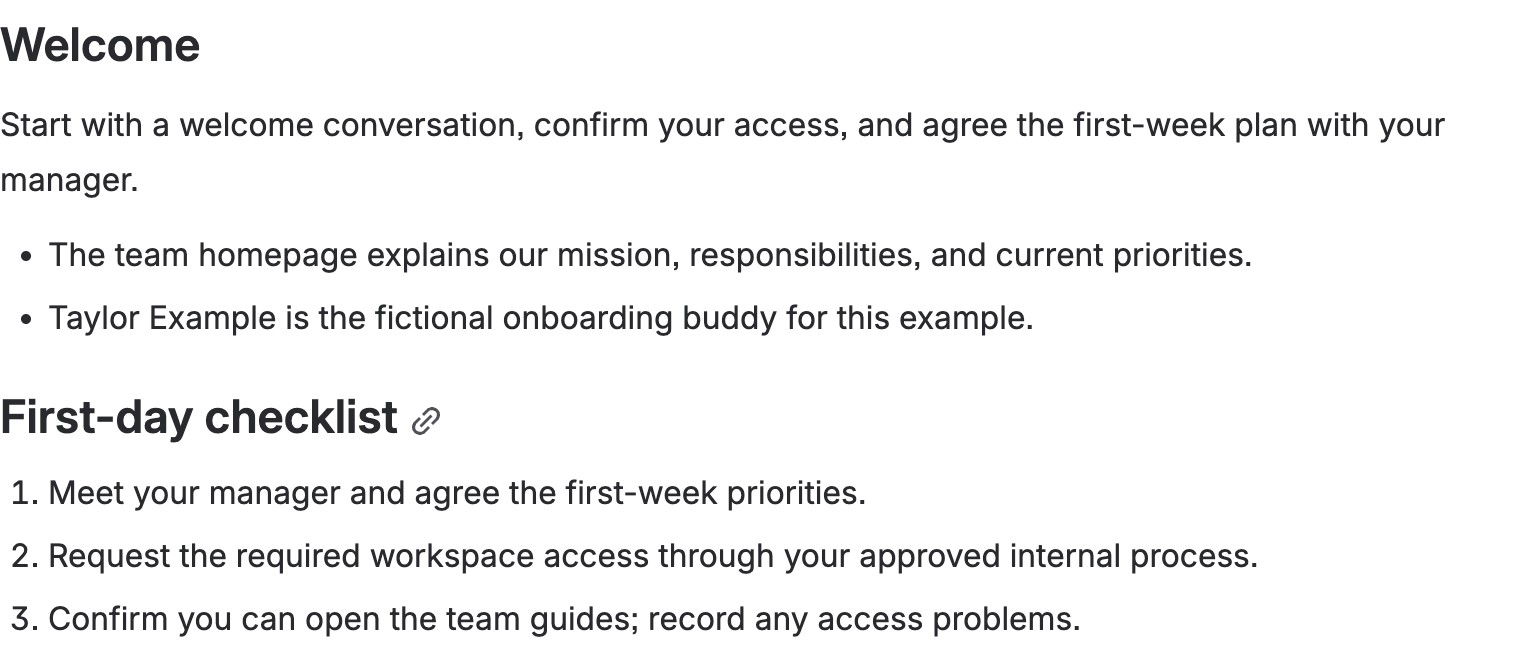
A completed Employee onboarding template on the development site. The welcome leads into an actionable first-day checklist; the names and access instructions are synthetic examples, not real personnel information.
Use the shipped Employee onboarding template for welcome, first-day checklist, people, systems and access, first 30 days, and support. The Process or journey Section Pattern can show stages when the sequence matters; Find your way works for a short directory of links. Do not put credentials or private personnel details on a broadly visible page.
- From Apps → Better Pages home, browse for Employee onboarding, preview it, and create a private draft in the intended space.
- Replace prompts with real first-day actions, access-request links, named contacts, and a review owner. Remove instructions that do not apply to your organization.
- In Composer, add Process or journey for stages such as first day, first week, and first month, or Find your way for the essential destinations. Preview the section before adding it.
- Save, reopen, and check the page as a new starter would; publish when the links, audience permissions, and owner are correct.
Finished-page check: Put the immediate action before background reading. Do not make color the only signal for a stage. Check the sequence and links on a phone-sized screen and with a keyboard.