Markdown Syntax
Overview
Section titled “Overview”Use these examples in the Rich Text Custom Fields editor, click Preview, then return to Edit and Save. Syntax illustrations below come from the earlier editor; they demonstrate formatting, not the current Forge UI. Image loading and attachment behavior changed in Forge, as explained below.
Math examples intentionally use doubled backslashes in Markdown source so the renderer preserves the LaTeX delimiters. Keep formulas outside fenced code blocks when you want them rendered.
Autocompletion
Section titled “Autocompletion”You can get a list of all available syntax by pressing Ctrl + Space in the editor. A context menu with all available syntax will appear.
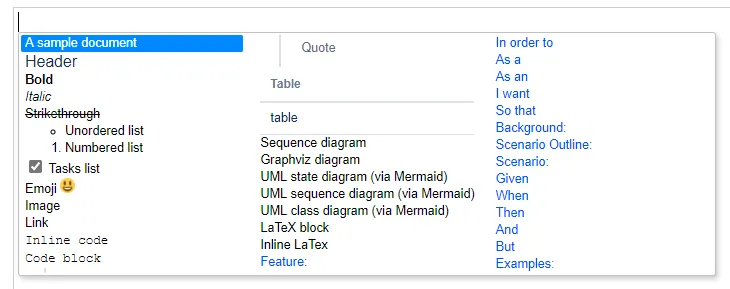
To move between items, use Up, Down, Left, Right keys. To select an item, click on it or press Enter. An example will be inserted.
LaTeX Math formulas
Section titled “LaTeX Math formulas”Block formulas
Section titled “Block formulas”\\[ax^2 + bx + c = 0\\]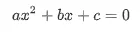
Inline formulas
Section titled “Inline formulas”\\(x = {-b \pm \sqrt{b^2-4ac} \over 2a}\\)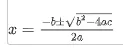
Sequence diagrams
Section titled “Sequence diagrams”Learn more about the syntax here: https://bramp.github.io/js-sequence-diagrams.
:::sequence```User->Phone: Says HelloNote right of Phone: Phone thinks\nabout itPhone->User: How are you?User->>Phone: I am good thanks!```:::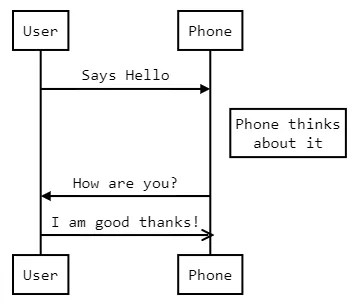
Graphviz diagrams
Section titled “Graphviz diagrams”Learn more about the syntax (Graphviz DOT) here: http://www.graphviz.org/.
:::graphviz```digraph site {    home [label = "Home"];    prod [label = "Products"];    news [label = "News"];    cont [label = "Contact"];
    home -> {prod news cont}}```:::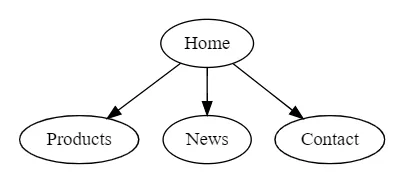
Mermaid UML diagrams
Section titled “Mermaid UML diagrams”Learn more about Mermaid UML diagrams here: https://mermaid-js.github.io/mermaid/#/.
Here we are just showing some examples.
State diagrams
Section titled “State diagrams”:::uml```stateDiagram [*] --> Still Still --> [*] Still --> Moving Moving --> Still Moving --> Crash Crash --> [*]```:::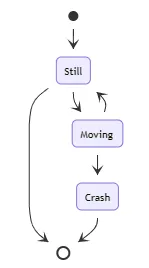
Sequence diagrams
Section titled “Sequence diagrams”:::uml```sequenceDiagram autonumber Alice->>John: Hello John, how are you? loop Healthcheck John->>John: Fight against hypochondria end Note right of John: Rational thoughts! John-->>Alice: Great! John->>Bob: How about you? Bob-->>John: Jolly good!```:::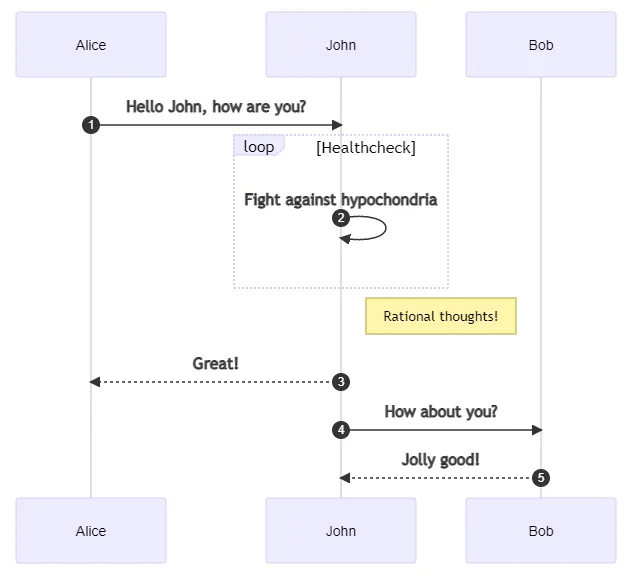
Class diagrams
Section titled “Class diagrams”:::uml```classDiagramClass01 <|-- AveryLongClass : CoolClass03 *-- Class04Class05 o-- Class06Class07 .. Class08Class09 --> C2 : Where am i?Class09 --* C3Class09 --|> Class07Class07 : equals()Class07 : Object[] elementDataClass01 : size()Class01 : int chimpClass01 : int gorillaClass08 <--> C2: Cool label```:::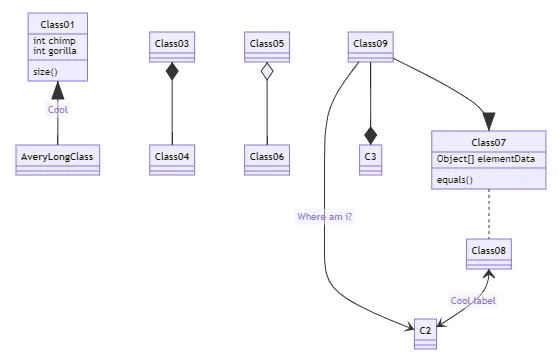
Markdown syntax
Section titled “Markdown syntax”Heading
Section titled “Heading”# The largest heading## The second largest heading###### The smallest heading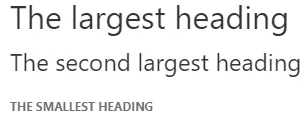
Styling text
Section titled “Styling text”**bold**
*italic*
~~Strikethrough~~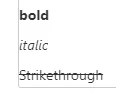
* Item 1* Item 2
1. Item 12. Item 2
Task lists
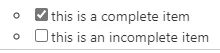
Section titled “Task lists”- [x] this is a complete item- [ ] this is an incomplete itemEdit the source marker and save to change a task’s state. Clicking a rendered checkbox is not a persisted checklist workflow.
Using emoji
Section titled “Using emoji”:) :D
Mentioning people
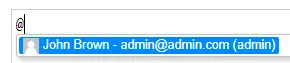
Section titled “Mentioning people ”Type @ and select the user to be mentioned.
This inserts a user reference; it does not guarantee a Jira mention notification.
 Input
Input
 Render
Linking issue attachments
Section titled “Linking issue attachments ”Type @@ and select the attachment to be inserted.
Select an attachment already on this issue. The Forge renderer displays supported attachment references as links, not embedded images. This is not an upload tool; Jira permissions apply when opening the file.
Images
Section titled “Images”In Forge 3.6.0 this example displays a link with the image’s alternative text, not the remote image. The app does not automatically fetch the external URL.
[Markdown for Jira](https://marketplace.atlassian.com/apps/1214558)
Code snippets
Section titled “Code snippets”`inline code`
```javascriptfunction fancyAlert(arg) { if(arg) { $.facebox({div:"#foo"}) }}```
Quote blocks
Section titled “Quote blocks”As Eleanor Roosevelt said:> You must do the thing you think you cannot do.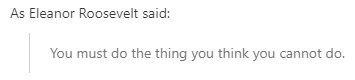
Tables
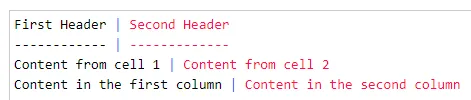
Section titled “Tables”| First Header | Second Header || - | - || Content from cell 1 | Content from cell 2 || Content in the first column | Content in the second column |
Gherkin syntax
Section titled “Gherkin syntax”Please enable Gherkin syntax first before using this feature.
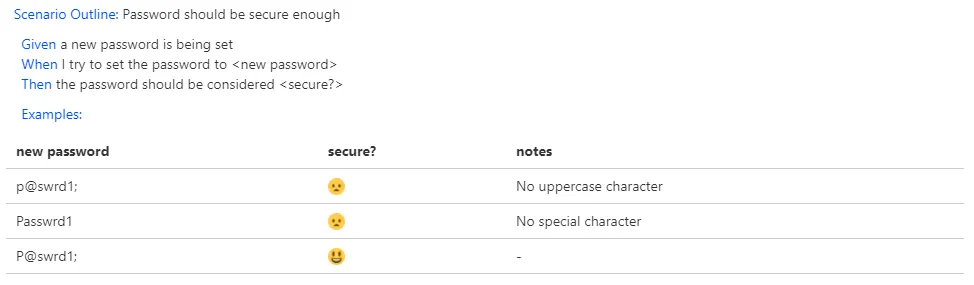
Scenario Outline: Password should be secure enough
Given a new password is being setWhen I try to set the password to <new password>Then the password should be considered <secure?>
Examples:| new password | secure? | notes                  || -            | -       | -                      || p@swrd1;     | :(      | No uppercase character || Passwrd1     | :(      | No special character   || P@swrdl;     | :)      | -                      |