Button Group
Use Better Pages Button Group when several related actions belong together, such as download choices or previous and next steps.
Build a group
Section titled “Build a group”- Insert Better Pages Button Group.
- Add an accessible group label.
- Choose horizontal or vertical direction and an alignment.
- Save the group.
- Insert individual Better Pages Buttons in its rich body.
- Move the Button macro blocks into the reader order, then publish.
Each button keeps its own text, destination, icon, style, and new-tab setting. The order of the Button macros in the body is the published order.
Edit a stored-button group
Section titled “Edit a stored-button group”Groups generated by Composer can use the stored-button compatibility editor. Open the group’s configuration to edit its buttons and use Move up or Move down to change their order. This differs from inserting individual Button macros in the rich body of a new open-box group.
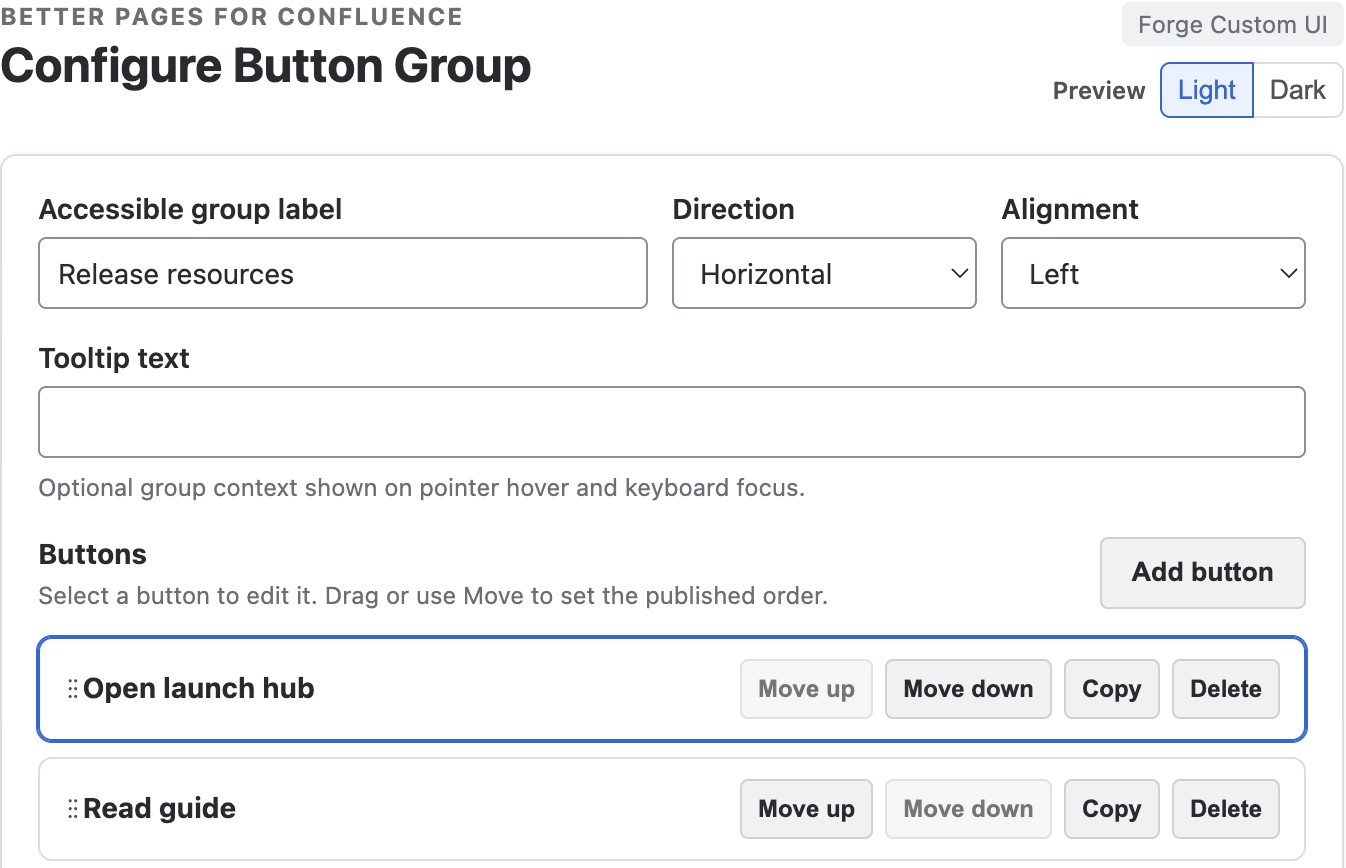
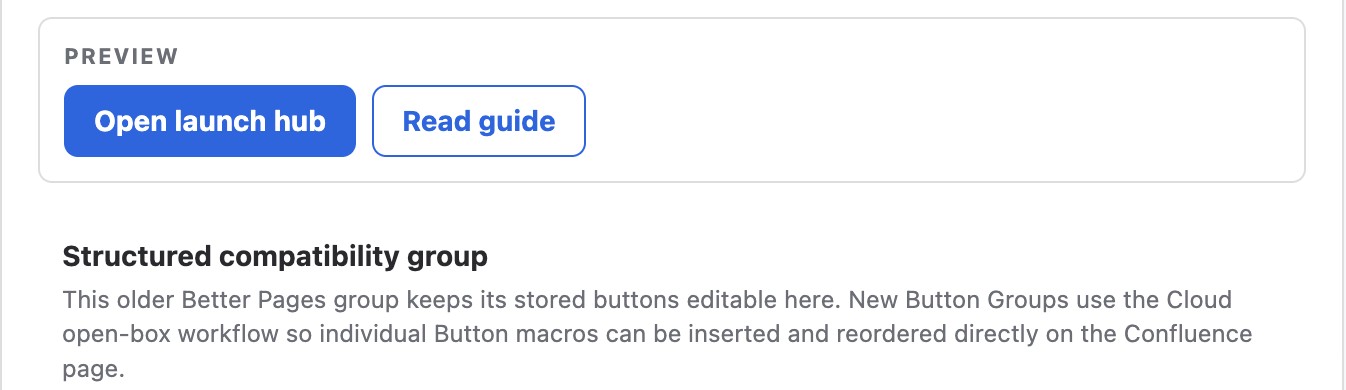
This Composer-generated group stores its buttons in the group configuration. The notice identifies the workflow; do not use these controls as instructions for reordering individual Button macros in a new open-box group.

The saved example keeps the filled primary action first and the bordered alternative second.
Example
Section titled “Example”For a report, group View dashboard, Download source data, and Contact the owner. Use one filled primary action and quieter styles for the alternatives.
Good practice
Section titled “Good practice”- Group actions only when they serve the same decision.
- Use a vertical layout when labels are long or the page is narrow.
- Keep every label unique and action-oriented.
- Test each destination after publishing, including keyboard activation.