LaTeX Inline
Use Better Pages LaTeX Inline for one mathematical expression that belongs in the surrounding sentence. Write the prose in Confluence and keep only the equation in the macro.
Add an inline equation
Section titled “Add an inline equation”- Insert Better Pages LaTeX Inline at the required point in the sentence.
- Enter one expression, with or without
$...$delimiters. - Use command suggestions and review the live preview.
- Fix validation warnings, save, and publish.
For example, write The relationship , insert the macro with E = mc^2, then
continue with connects energy and mass.
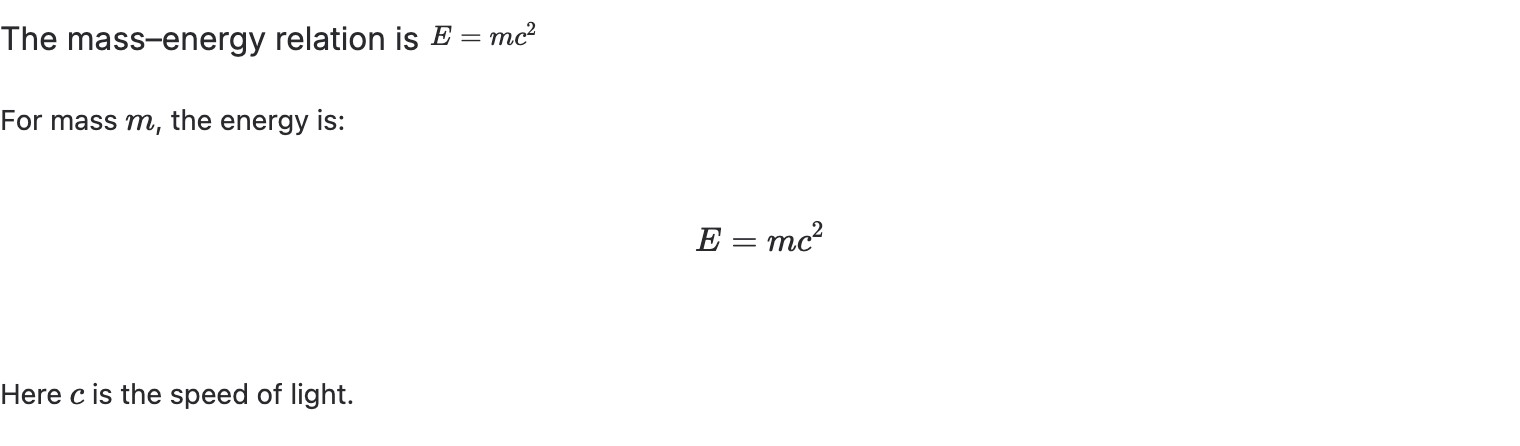
The first line uses LaTeX Inline inside ordinary Confluence prose. The larger equation and variable definitions below are a separate LaTeX Builder example.
Good practice
Section titled “Good practice”- Keep the expression compact. Use LaTeX Builder for a large or multi-line formula.
- Explain unfamiliar variables in the surrounding text.
- Read the complete published sentence to confirm spacing and punctuation.