Build a team homepage
Outcome: A visitor can understand what the team does, find the right owner, and reach its current priorities without searching several spaces.
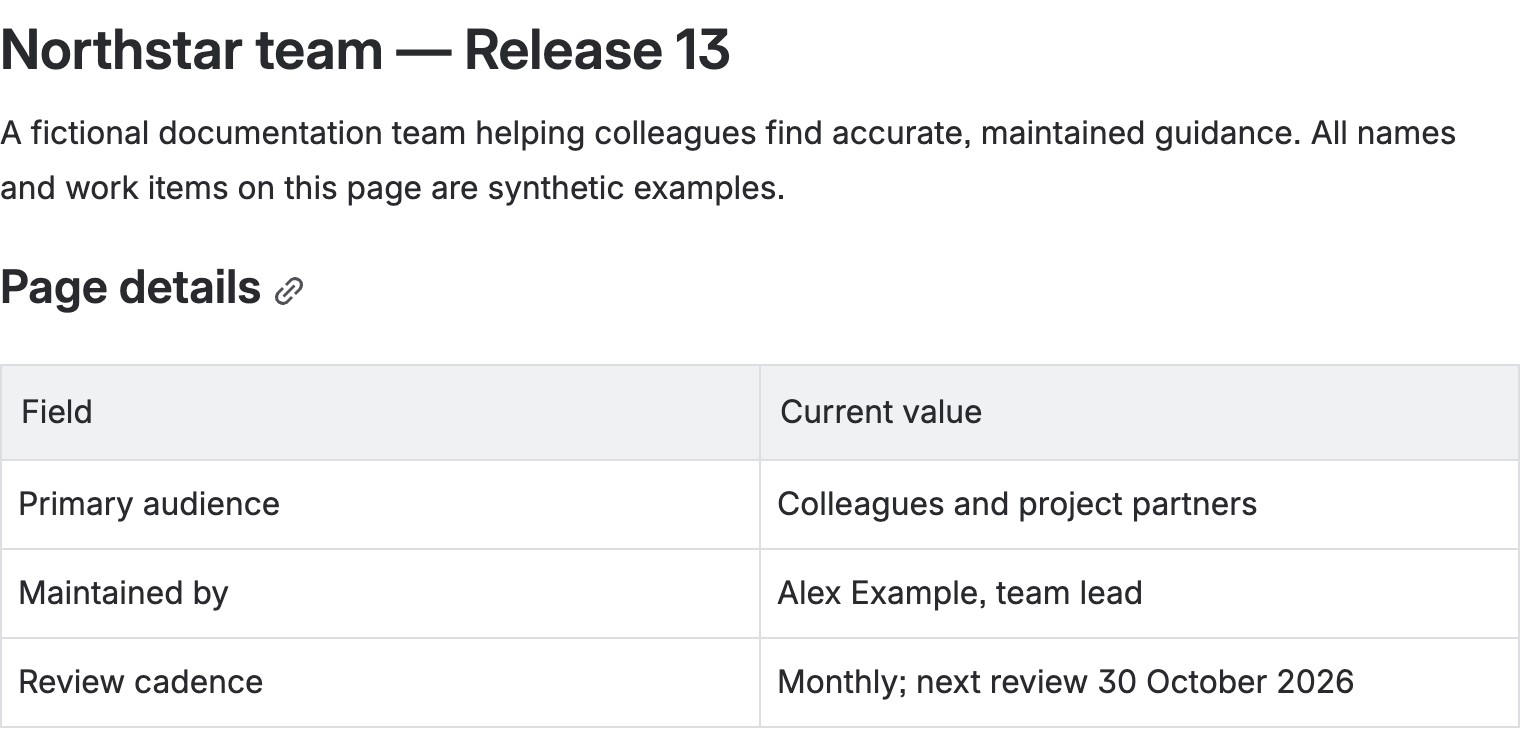
A completed Team homepage template on the development site, using synthetic people and work. This first section identifies the audience and maintenance owner; replace them with your own facts before publishing.
Start with the shipped Team homepage template. Its sections cover mission, people and roles, work, priorities, ways of working, and contact. Add the Find your way or Owners and responsibilities Section Pattern where a small set of destinations or contacts needs stronger navigation. These patterns can create linked-card components; see Advanced Cards.
- Open Apps → Better Pages home → Browse templates. Select Team homepage, choose a space and title, preview, then Use template to create a private draft.
- Replace each prompt with the team’s actual mission, named owners, and current work. Remove sections that would otherwise remain empty.
- Choose Continue designing. If readers need navigation, add Find your way with links to the plan, service information, and help. For ownership, add Owners and responsibilities with reachable contact destinations.
- Review the Composer canvas, Save draft, reopen the page, and publish only after checking the links and owners.
Finished-page check: The first screen should answer “is this my team?” and “where do I go next?” Use descriptive card titles, readable color contrast, and test links and cards with a keyboard and at a narrow browser width. See Brand Kits and Brand Styles for optional approved appearance choices.