Use Formula Library
Formula Library helps you start with correct, editable LaTeX instead of writing every expression from scratch. It is available in the two MathJax macros.
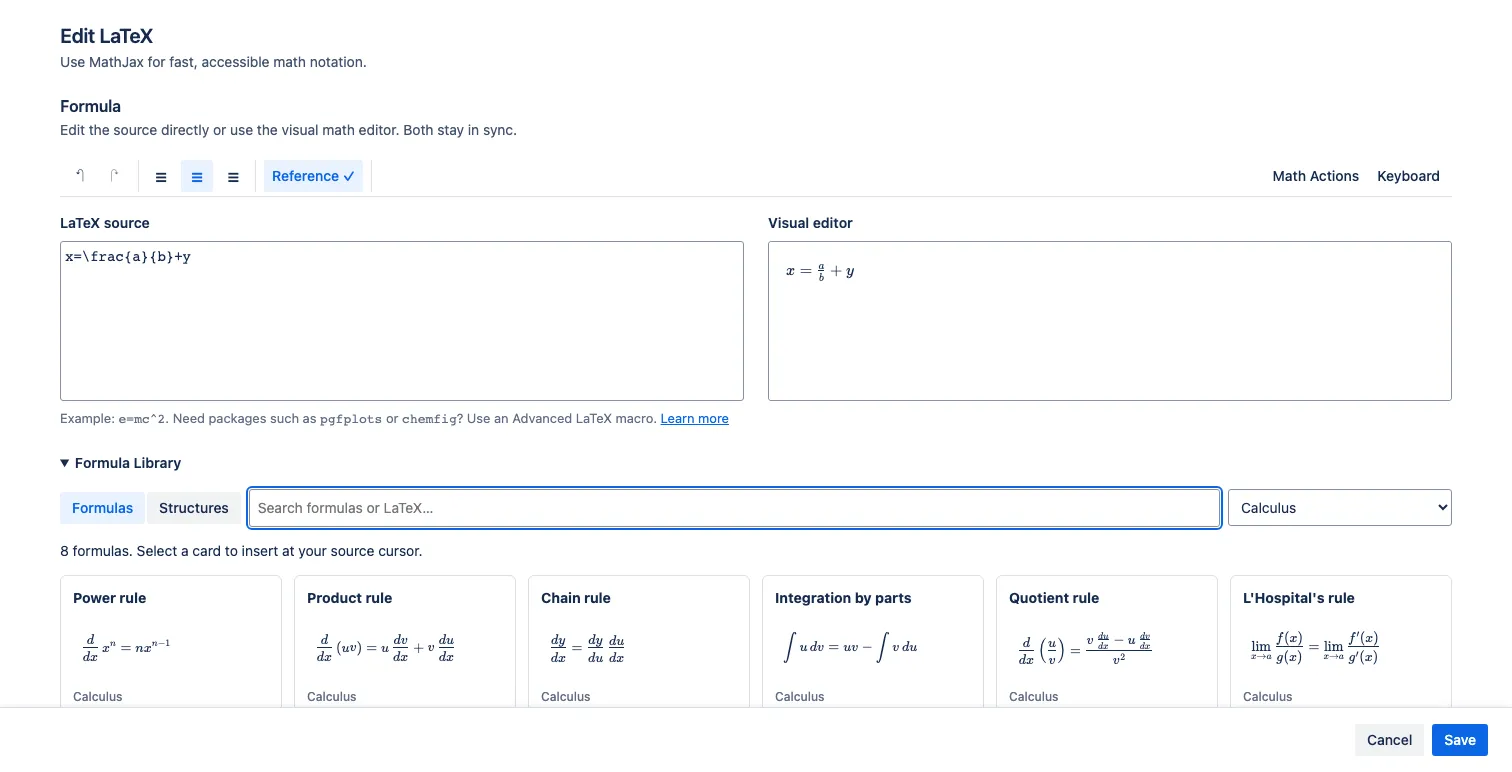
Insert a formula
Section titled “Insert a formula”- Open a LaTeX Math — inline or LaTeX Math — display macro.
- Put the source cursor where the formula should be inserted. Select source text first if you want to replace it.
- Expand Formula Library.
- Keep Formulas selected, search by name or LaTeX command, and optionally choose a category.
- Select a formula card.
- Edit its variables in LaTeX source or Visual editor.
Insertion copies the formula into this macro. Later edits do not change the library or other formulas created from the same card.
Formula categories
Section titled “Formula categories”The library contains 44 ready-made formulas:
| Category | Examples |
|---|---|
| Algebra | Quadratic formula, binomial theorem, logarithm product rule |
| Geometry | Circle and triangle areas, Pythagorean theorem, distance and slope |
| Calculus | Power, product, chain, and quotient rules; integration by parts |
| Trigonometry | Laws of sines and cosines, double-angle and half-angle identities |
| Statistics | Normal distribution, Bayes theorem, mean |
| Physics | Mass-energy equivalence, Newton’s second law, gravitation, Ohm’s law |
Search matches names, categories, keywords, and meaningful LaTeX commands.
Formulas versus Structures
Section titled “Formulas versus Structures”Select Structures for one of 11 reusable building blocks: fraction, square root, matrix, definite integral, derivative, limit, partial derivative, aligned equations, piecewise function, SI units, or Greek symbols.
Use Formulas for a complete named rule or relationship. Use Structures, Math Actions, or the virtual keyboard when you are constructing your own expression.
If the library shows no results, clear both the search text and category filter. Formula Library is not a shared library for formulas saved by your team.