Create a Markdown-enabled Field
Create a Markdown-enabled Custom Field
Section titled “Create a Markdown-enabled Custom Field”To use Markin for custom fields, follow the instruction at https://confluence.atlassian.com/jira/adding-a-custom-field-185729521.html. The custom field type is Markin Editor.
Use Markdown for System Fields (Description, Comment)
Section titled “Use Markdown for System Fields (Description, Comment)”To use Markin for system fields, follow the instruction at [https://confluence.atlassian.com/adminjiraserver073/specifying-field-behavior-861253403.html#Specifyingfieldbehavior-renderersChangingafield'srenderer](https://confluence.atlassian.com/adminjiraserver073/specifying-field-behavior-861253403.html#Specifyingfieldbehavior-renderersChangingafield'srenderer). The renderer type is Markin renderer.
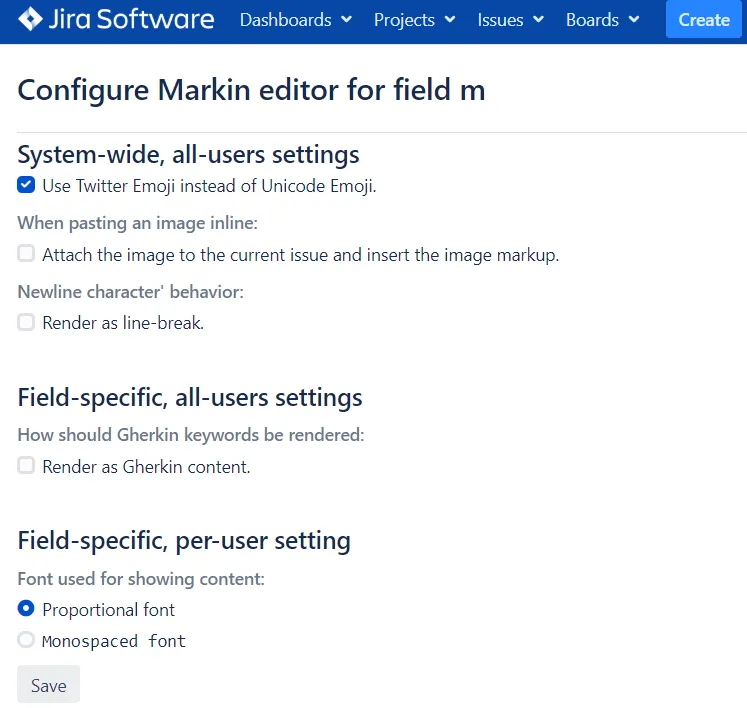
Other field-level settings
Section titled “Other field-level settings”Hover on a field, the link to the Settings page will be shown at the bottom.

You can then configure how Markin renders the Markdown content.