Use Case: Employee Onboarding
Use this when: every new teammate needs the same coordinated setup.
Example
Section titled “Example”Onboard {{employeeName}} — {{team}}├─ Prepare laptop and equipment├─ Configure required access├─ Prepare first-week plan└─ Schedule onboarding handoffChange each run:
employeeName · startDate · manager · team
Best fit
Section titled “Best fit”Create from a template
Define those values as runtime inputs in Fields & inputs, then reuse the tokens in the root and child fields. Each run asks only for the values that change for that employee.
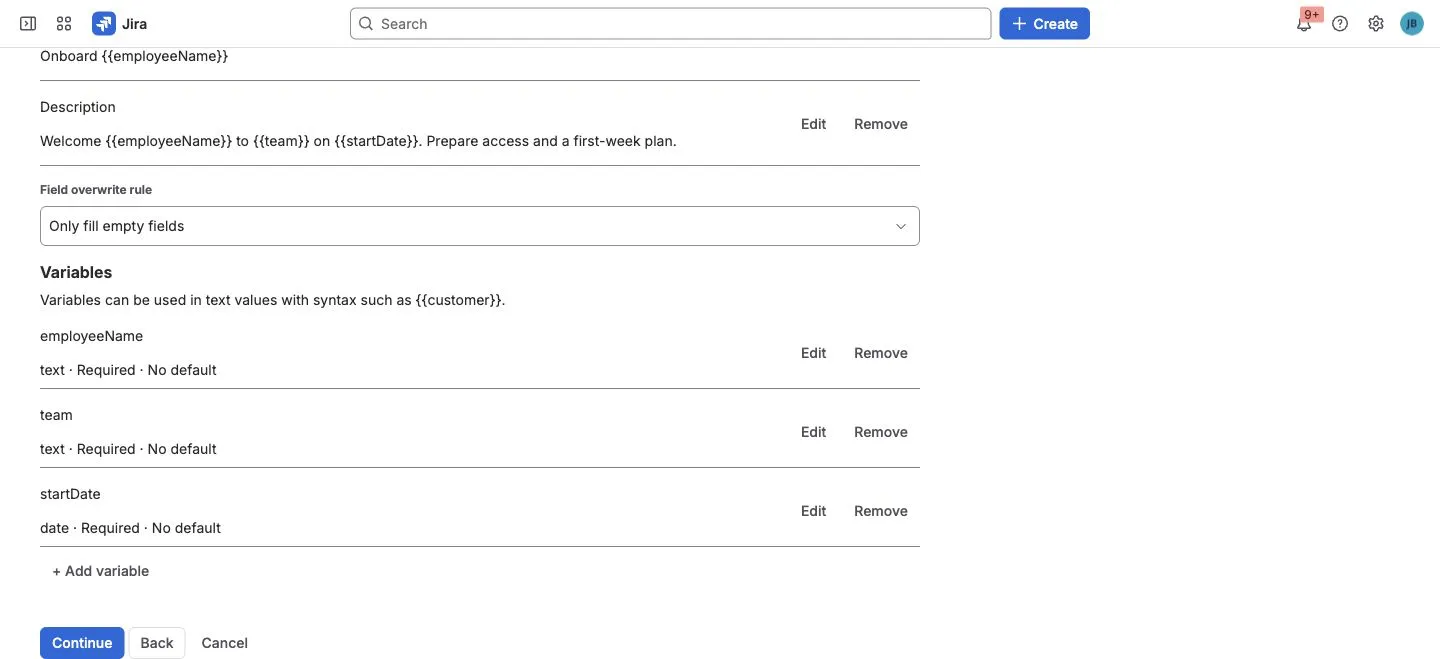
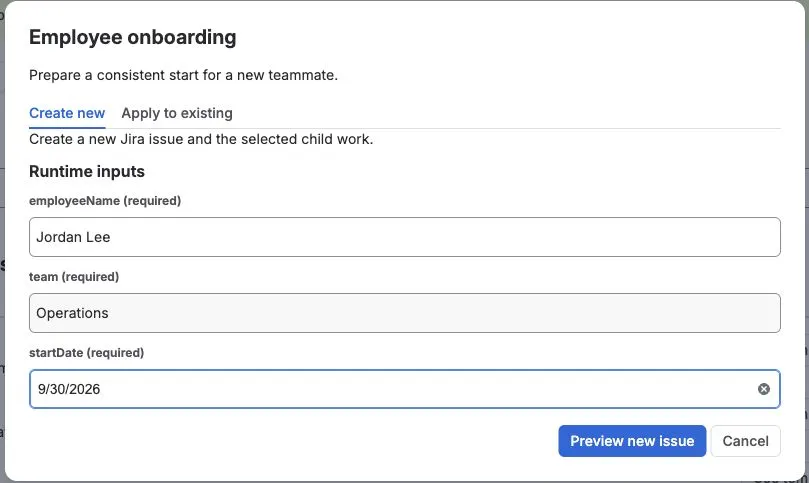
These images show the input setup and runtime form of a smaller onboarding
fixture. They do not show the four child items or manager from the expanded
example above.
What this gives the team
Section titled “What this gives the team”- The same setup flow for every new teammate.
- Different employee, team, manager, and start date each run.
- Optional JSM entry when onboarding begins from a service request.
Use JSM portal templates instead when onboarding begins from a service request.
Also works for
Section titled “Also works for”Contractor onboarding · role changes · offboarding · partner onboarding · access setup.