Templates and Better Pages Home
Better Pages Home is the starting point for building a new page or improving one you can edit. Open Apps → Better Pages home in Confluence. The Build area offers templates, a blank private draft for Section Patterns, and a search for editable pages. Design system introduces published Brand Kits and Brand Styles; Manage opens Space Manager; and Explore lists the available components. You do not need to use every area to make a page.
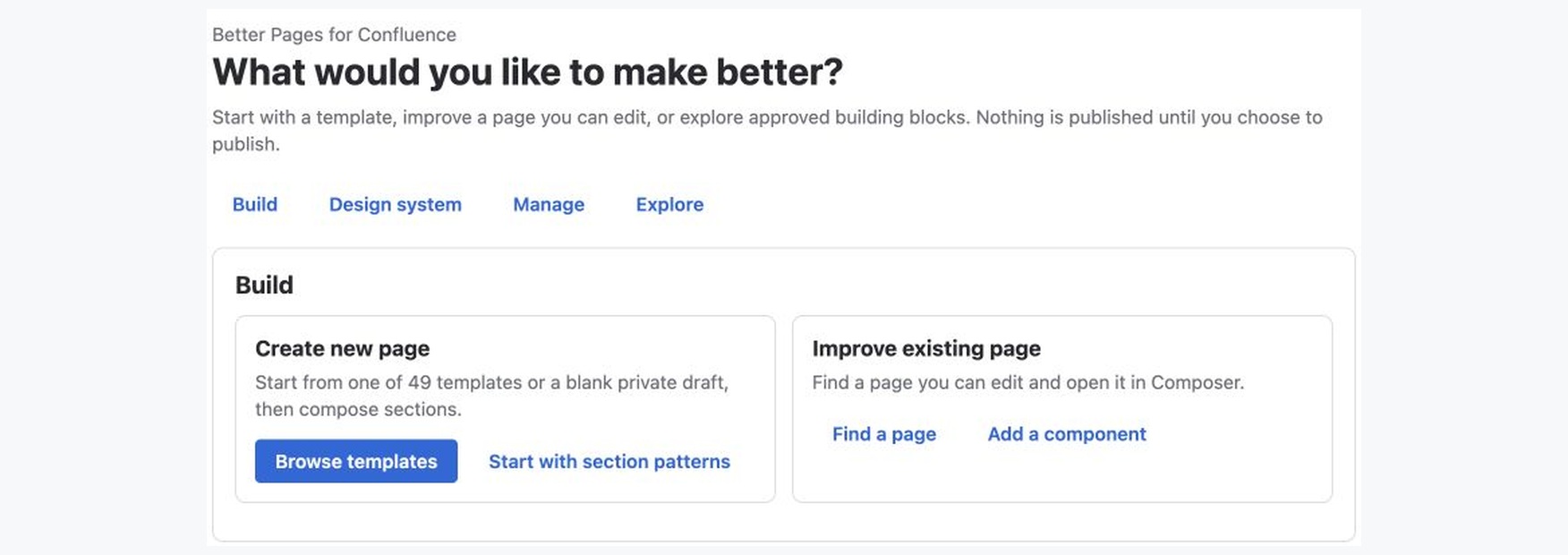
Better Pages Release 13 on a licensed development installation with synthetic example content.
Start from a template
Section titled “Start from a template”Home offers 49 editable starters across uses such as project work, reports, research, homepages, documentation, meetings, decisions, and operations.
- Select Browse templates. Search by purpose or choose a category.
- Select a template, destination space, and unique title. Check that you can create a page in that space.
- Select Preview template to inspect its proposed sections and prompts. Preview creates nothing in Confluence.
- If it fits, select Use template. A single-page template creates a private draft; it does not publish it.
- Choose Continue designing to open the same draft in Composer, or Edit in Confluence to work directly in the normal editor. Replace sample prompts before publishing.
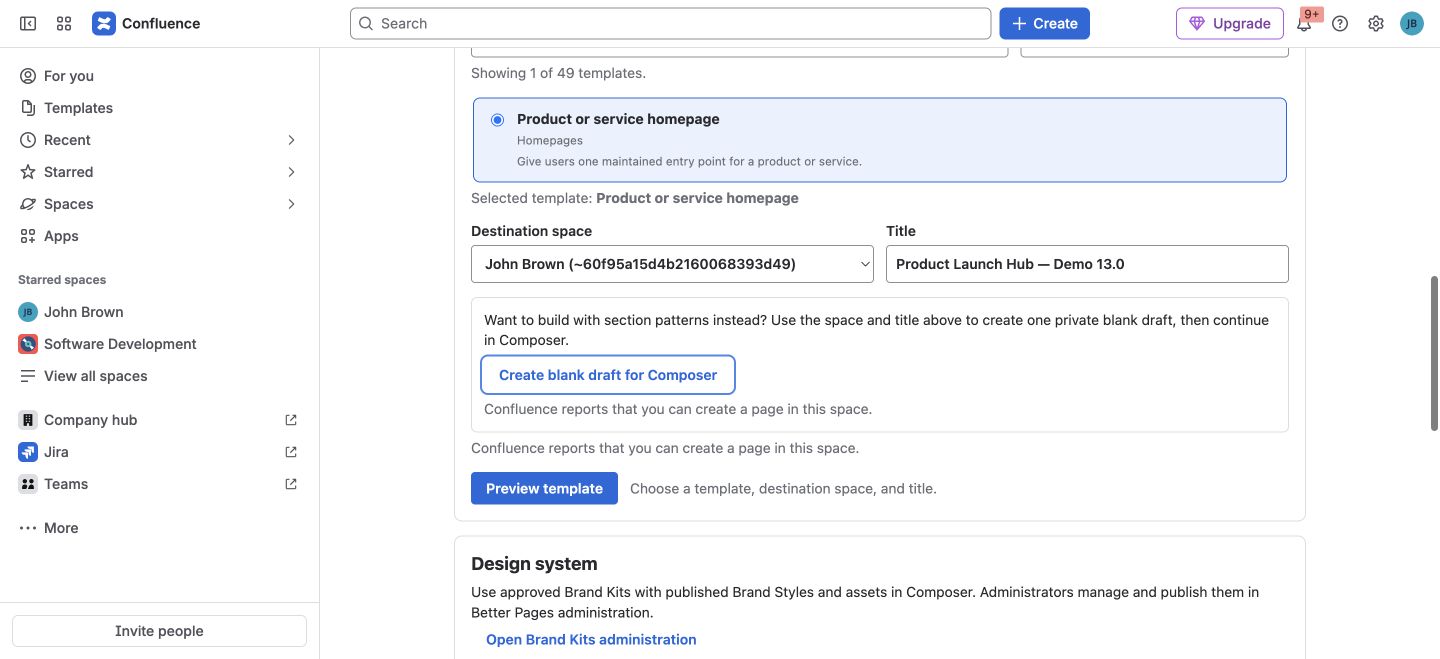
The space and title determine where the draft is created. The blank-draft action is separate from the selected template.
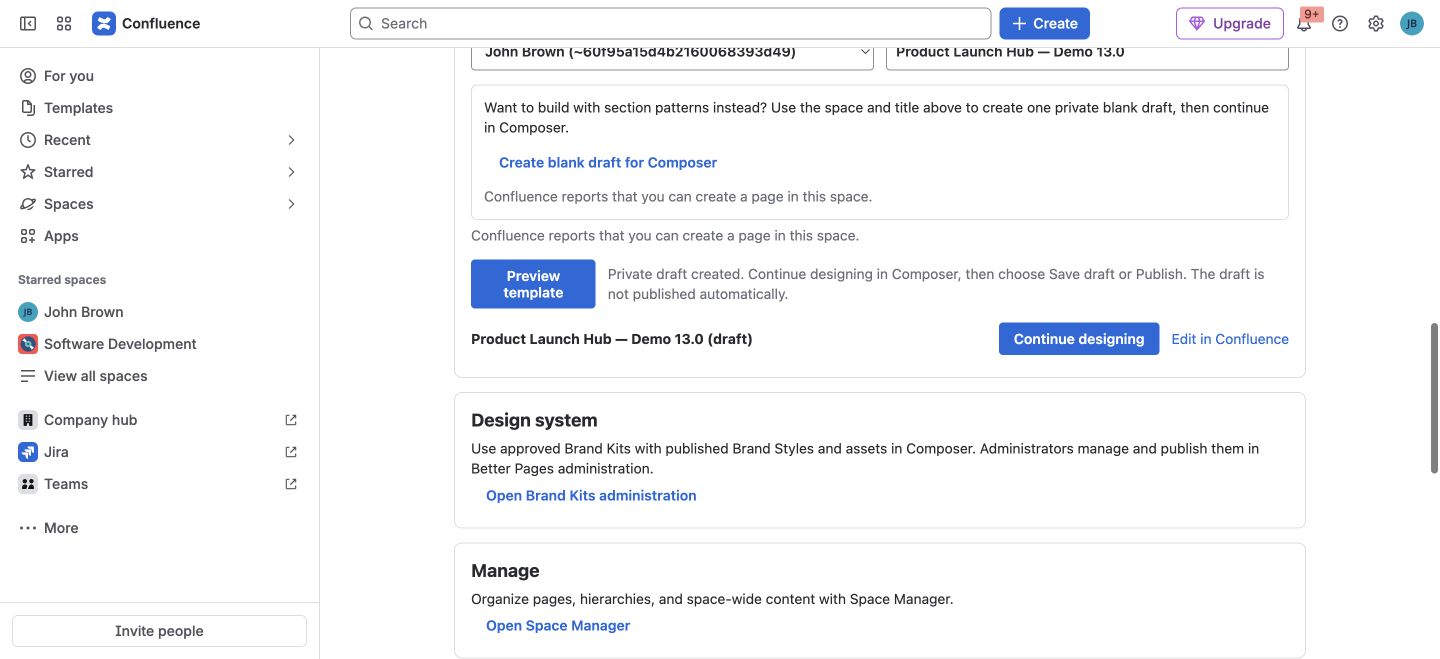
A template-created page remains private until you publish it. This image is from a separate licensed-development draft from the blank-draft save/reopen example in Getting Started.
Start without a template
Section titled “Start without a template”Select Start with section patterns, choose a destination space and title, then Create blank draft for Composer. Select Continue designing to add a guided Section Pattern or an individual component. The blank page remains a private draft until you publish it. This is the path used in the first-page guide.
Improve an existing page
Section titled “Improve an existing page”Select Find a page and search for a page Confluence lets you see and edit. Choose Open in Composer for the result you intend to change. Opening or previewing does not write the page; review the canvas and choose Save draft or Publish when ready. If you do not have edit permission, choose another page or ask its space administrator.
You can also open Composer from a published page’s Better Pages byline. If someone changes the source page while Composer is open, reload and rebuild your staged canvas before writing.
Other template outcomes
Section titled “Other template outcomes”- A blog template creates a private blog draft and continues in the Confluence editor.
- Delivery journey is a multi-page operation. After you review the destination and stage names, Create linked pages explicitly creates a published landing page and linked child pages. It is not the same private single-page-draft flow; review the hierarchy before confirming.
- A Confluence administrator can separately synchronize eligible page starters into Confluence’s native template catalog. Blog and Delivery journey starters remain Home workflows. See Administration.
After you create a page, continue with Composer for staged review and Brand Kits and Brand Styles for approved appearance choices.