Backup and Restore
Backup and restore protects app-owned configuration before significant administration work. It is designed for the same Jira tenant.
What the backup contains
Section titled “What the backup contains”A version 2 backup contains:
- Active and archived template definitions with their current revision number.
- Field schema snapshots and values.
- Variables and child definitions.
- Availability rules.
- App defaults.
It does not contain Jira issues, attachment files, operation history, or native Create rules. It is not a Data Center migration package.
Create a backup
Section titled “Create a backup”- Open Jira administration and the app’s administration page.
- Open Administration → Data management → Backup & restore.
- Select Download backup file to save a JSON file. You can also select Create backup when you need to inspect or copy the generated JSON in the page.
- Store it according to your organization’s configuration-backup policy.
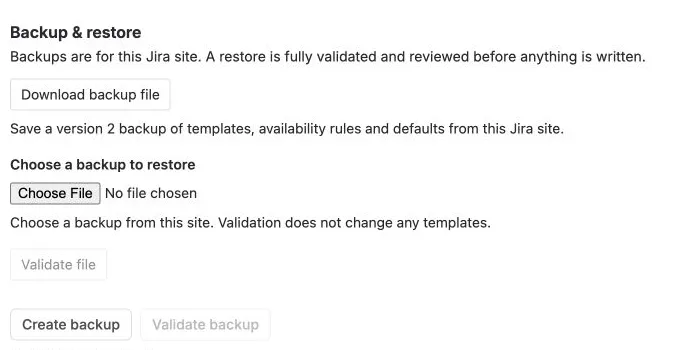
Validate file becomes available after you choose a backup file.
Validate before restoring
Section titled “Validate before restoring”Choose a version 2 JSON file and select Validate file, or paste its contents and select Validate backup. Validation does not change configuration.
The app checks the whole document, template structure, defaults, destination projects, work types, fields, and hierarchy compatibility before writing. An availability rule that refers to a deleted or invisible project, group, or account remains fail-closed; it cannot grant broader access.
Restore deliberately
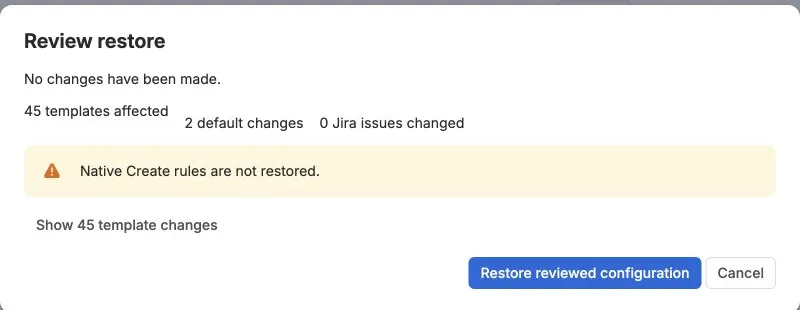
Section titled “Restore deliberately”Restore only after validation succeeds and you have reviewed the complete change. The review states which templates will be created or replaced and how many defaults will change. Existing Jira issues are not changed. Select Restore reviewed configuration only when that result is correct.
Keep the original backup until the library, availability, and defaults have been verified in the UI. Reconfigure native Create rules separately because they are intentionally not restored.
Cross-site transfer requires explicit mapping of Jira IDs and is not supported by this same-tenant contract.