Composer (Smart Designer)
Better Pages Composer is the Smart Designer page-building workflow in Better Pages Release 13.2. Open it with Continue designing after creating a private page from Better Pages Home, choose Open in Composer for an editable existing page on Home, or use the Better Pages byline on a published page. You need permission to edit the target page.
Composer separates configuration and staging from the final page write. You can preview sections, change their order, and inspect generated content before selecting Save draft or Publish. Merely opening Composer or adding something to its canvas does not change a Confluence page.
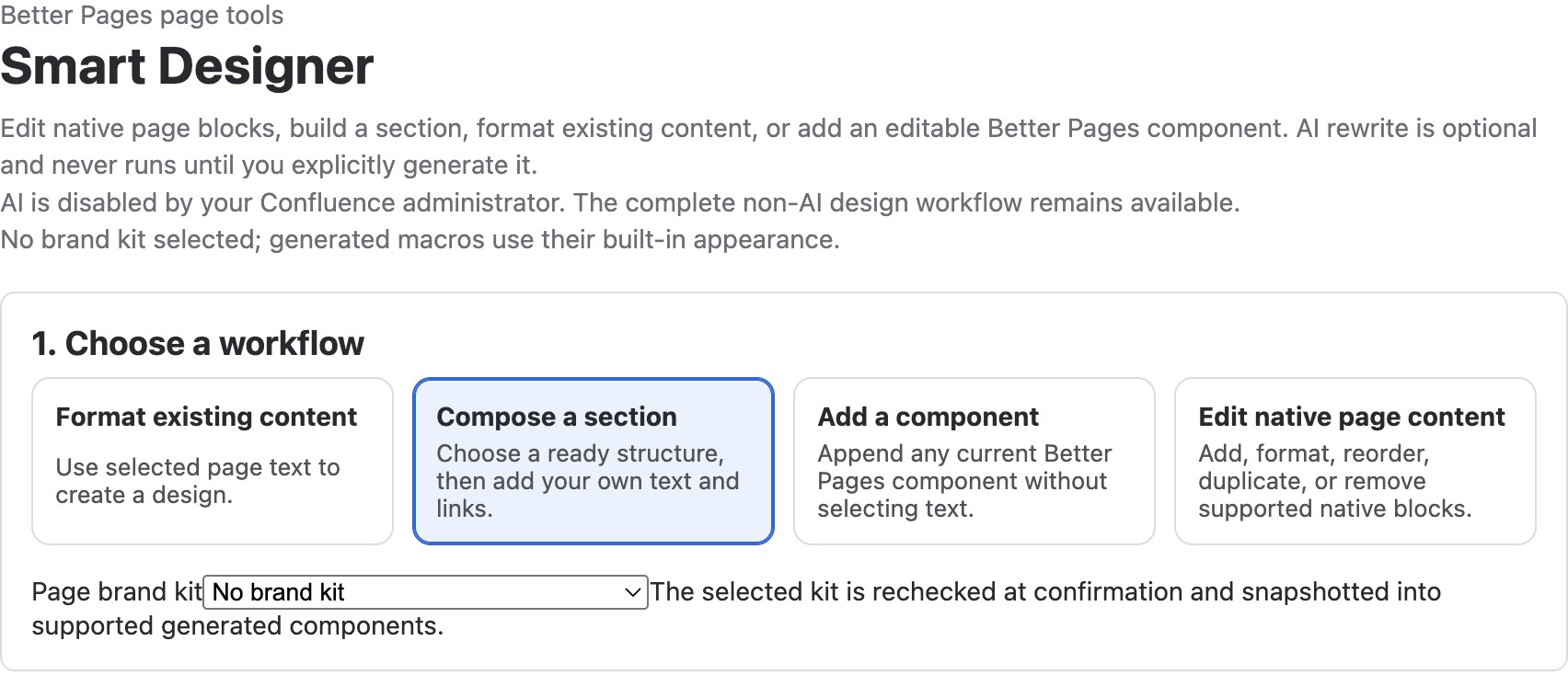
Better Pages Release 13 Composer on a licensed development installation. No Brand Kit is selected, and the site’s administrator has disabled AI; the non-AI workflows remain available.
Choose an authoring path
Section titled “Choose an authoring path”| Workflow | Use it when |
|---|---|
| Compose a section | A page needs a guided welcome, navigation, status, FAQ, or another Section Pattern |
| Add a component | You want one of the 19 Better Pages building blocks without selecting text |
| Format existing content | You want to turn selected page text into a design and review whether to keep or replace the source blocks |
| Edit native page content | You need to add, format, move, duplicate, or remove supported headings, paragraphs, lists, quotes, code, panels, dividers, or simple tables |
Existing macros, complex tables, and media are protected rather than silently rewritten. An administrator may also enable optional AI rewriting for selected text; the non-AI paths above remain usable without it. Review any generated wording before staging it.
Review a section before writing
Section titled “Review a section before writing”- Choose a workflow. For Compose a section, select a pattern, fill in its required text and destinations, then select Preview section.
- If published Brand Kits or Brand Styles are available, choose the appropriate kit or semantic style for supported components. Preview the appearance.
- Select Add to canvas. Repeat if the page needs more sections.
- In Review canvas, use Edit section, Duplicate, Remove, or the move controls to refine the staged result. Expand Inspect generated components when you need to see what will be written.
- Choose Apply to this page or Create one child page. Confirm the destination before the final action.
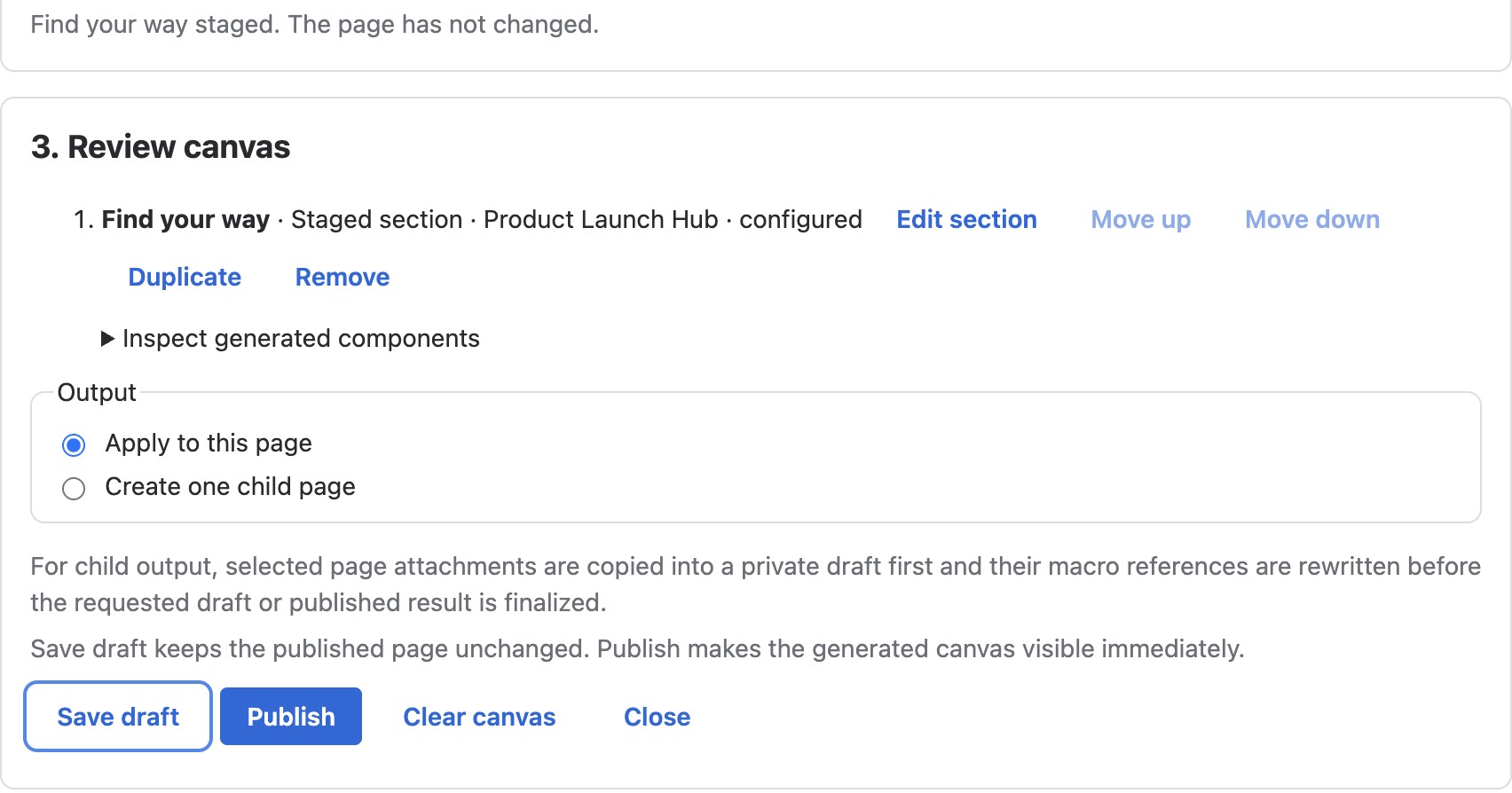
The page has not changed at this point. The canvas is a proposal until you choose a final write action.
Save draft, close, reopen, or publish
Section titled “Save draft, close, reopen, or publish”Select Save draft when the content still needs review. For a new private page, the page remains a draft. For an existing published page, the currently published version remains what readers see until you publish the changes. Wait for the save confirmation, close Composer, and reopen the page in Confluence to check that the generated blocks are present. The normal editor can be used to finish wording and links before publication.
Publish directly from Composer
Section titled “Publish directly from Composer”Direct Publish on a new private page was fixed in Release 13.1 and remains verified in Release 13.2. Review the canvas, then select Publish when the content is ready for readers. Close Composer, open the published page and test its links and interactions.
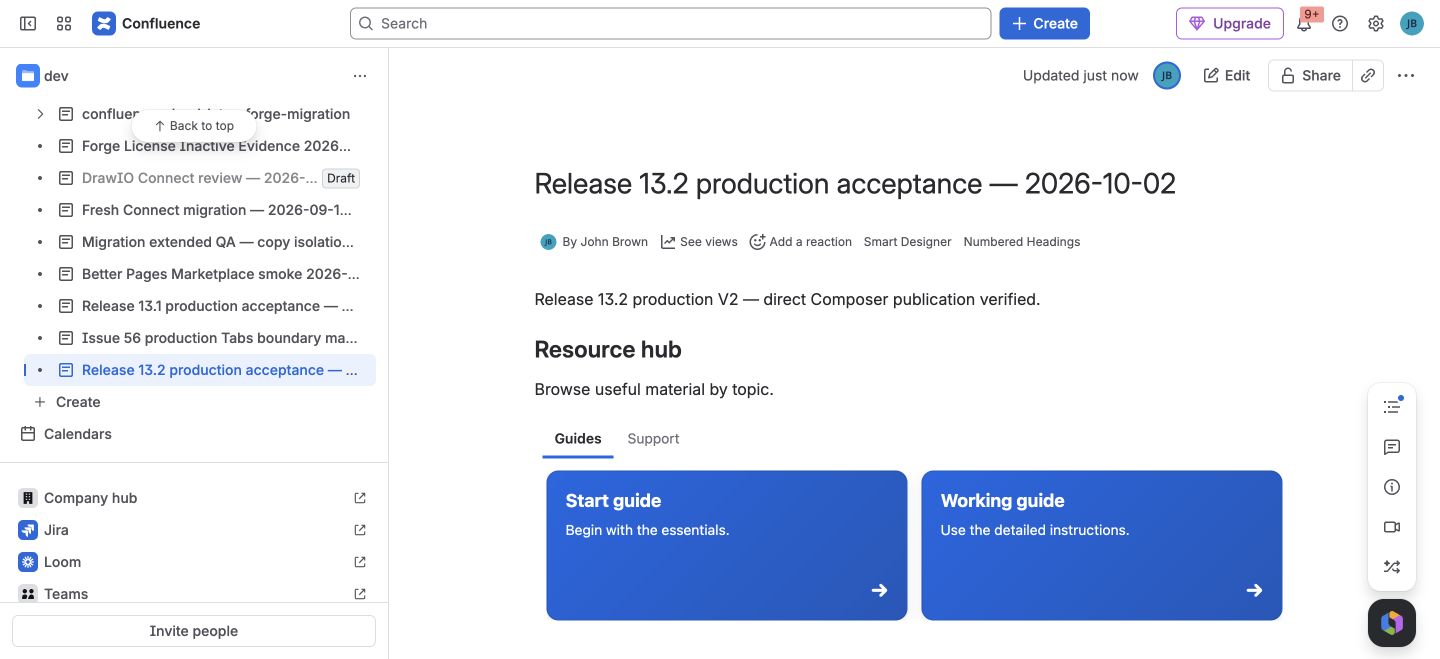
Release 13.2 on a licensed production test site: a fresh Home draft was published directly, reopened from the published page, edited and published again. Cold reader view retained the Resource hub content; native history recorded both Composer publications.
Save draft remains a separate choice and does not publish the page. The illustrated Getting Started workflow deliberately uses Save draft → reopen in Confluence → Publish for review before release. Both paths are supported; choose the one that matches your review needs.
After publishing a Home-created draft, open Smart Designer from the published page to continue editing. The original Home Continue designing result can retain its old draft context and report that the page cannot be read. See Known Limitations.
For an existing page, select Publish only when the reviewed result is ready for readers, then inspect the published page. If Composer reports that the source page changed while you were working, reload it and rebuild the staged canvas before saving or publishing.
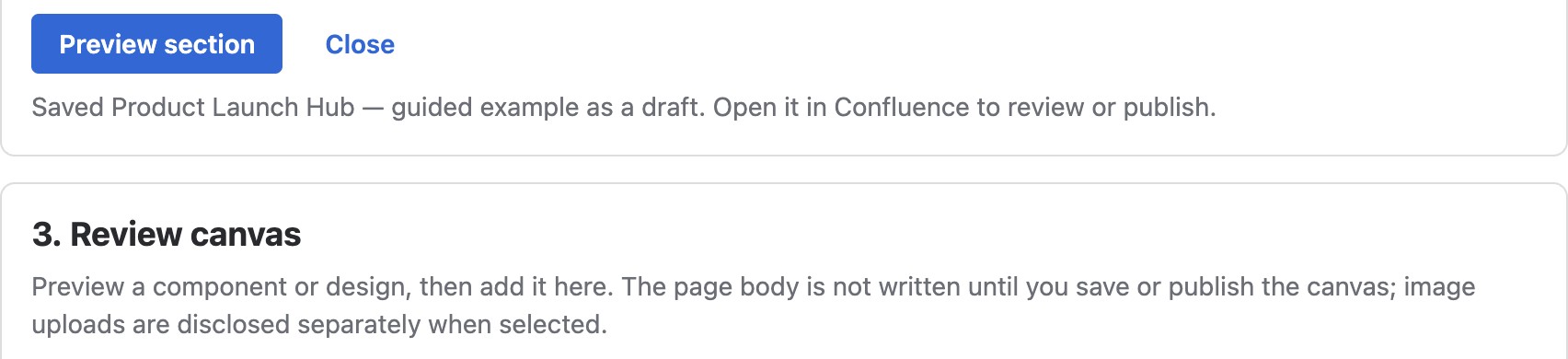
The licensed-development example received a save confirmation before Composer was closed.
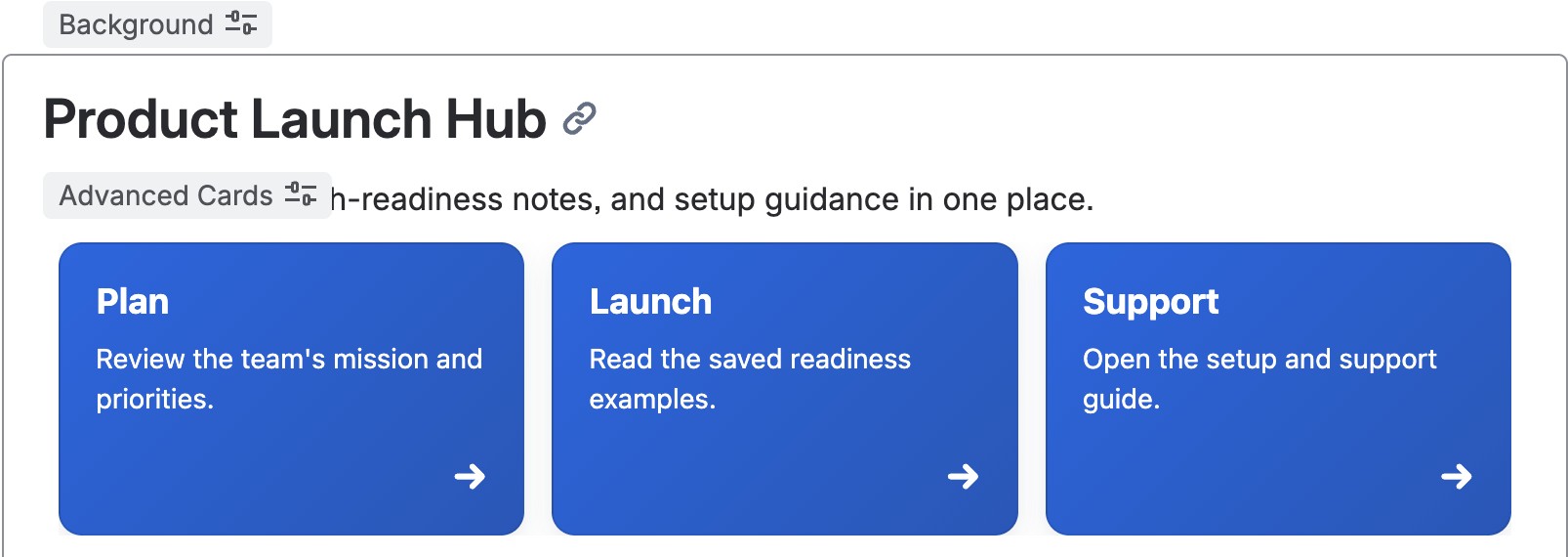
The same private draft still had its heading and navigation cards after a full close and reopen.
The in-editor Smart Designer launcher can preview the current editor draft, but it does not apply changes over unsaved editor work. Update or close the Confluence editor, then reopen Composer from the published page’s byline to write a reviewed page-level change.
Maintain the page after creation
Section titled “Maintain the page after creation”Composer writes normal Confluence blocks and supported Better Pages macros, not a locked screenshot or proprietary page wrapper. You can edit ordinary text in Confluence and reopen a generated macro’s configuration to update its content or appearance. A published Brand Style copies its current values when applied; later changes to the preset do not silently restyle the page.
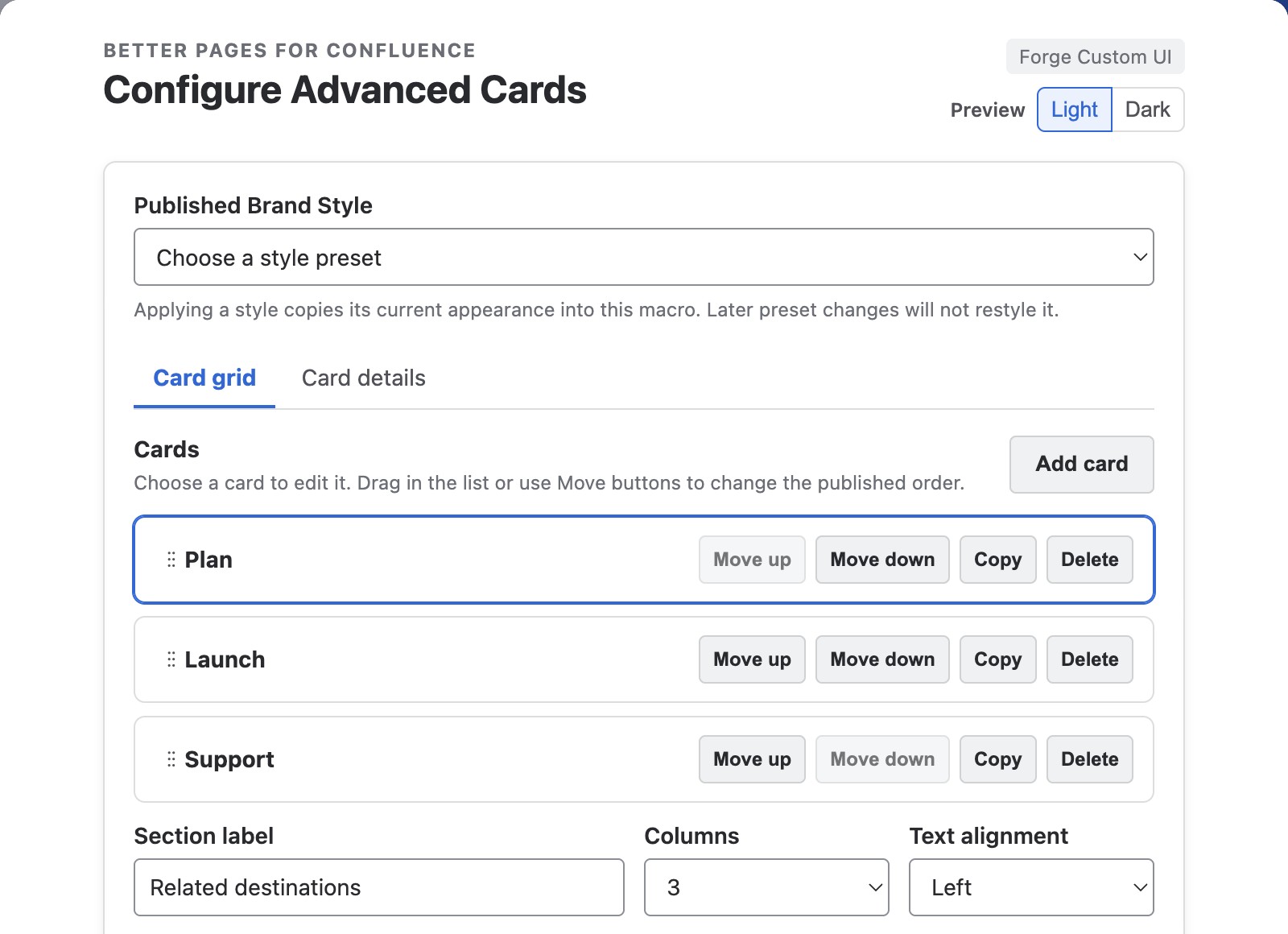
A separate synthetic development page shows generated Advanced Cards reopened in the normal Confluence editor. Its native configuration is distinct from the Composer pattern form.
For a first page, follow Getting Started. For the full set of guided sections, see Section Patterns. For single building blocks, see the Macro Catalog.