BibTeX Summary
Use Better Pages BibTeX Summary to turn the references above it into a readable bibliography.
Add a bibliography
Section titled “Add a bibliography”- Add BibTeX Reference macros in the relevant text.
- Insert Better Pages BibTeX Summary after the last reference to collect.
- Enter an accessible heading such as
References. - Publish the page and verify every marker and entry.
Readers can search and sort the published list. The summary collects references above it within the same page scope and avoids entries assigned to an earlier summary.
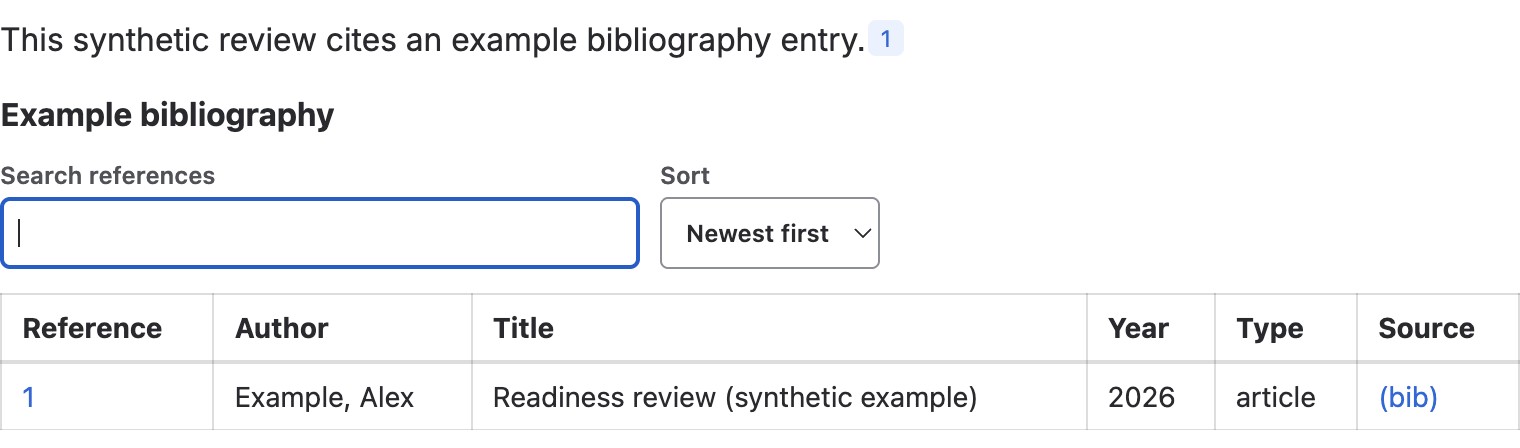
The published summary shows the preceding citation’s author, title, year, type, and BibTeX source control. Search references and Sort stay beside the collected entries.
Good practice
Section titled “Good practice”- Fix reference validation before publishing.
- Use consistent author names and identifier fields.
- Keep the bibliography near the content it supports.
- Test search, sort, and marker navigation on the published page.