Usage
Excalidraw
Section titled “Excalidraw”Insert Excalidraw drawings
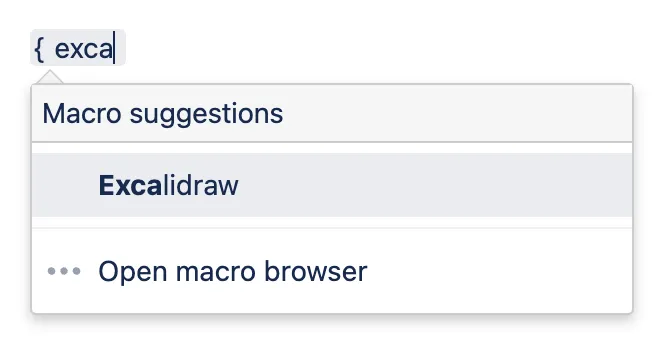
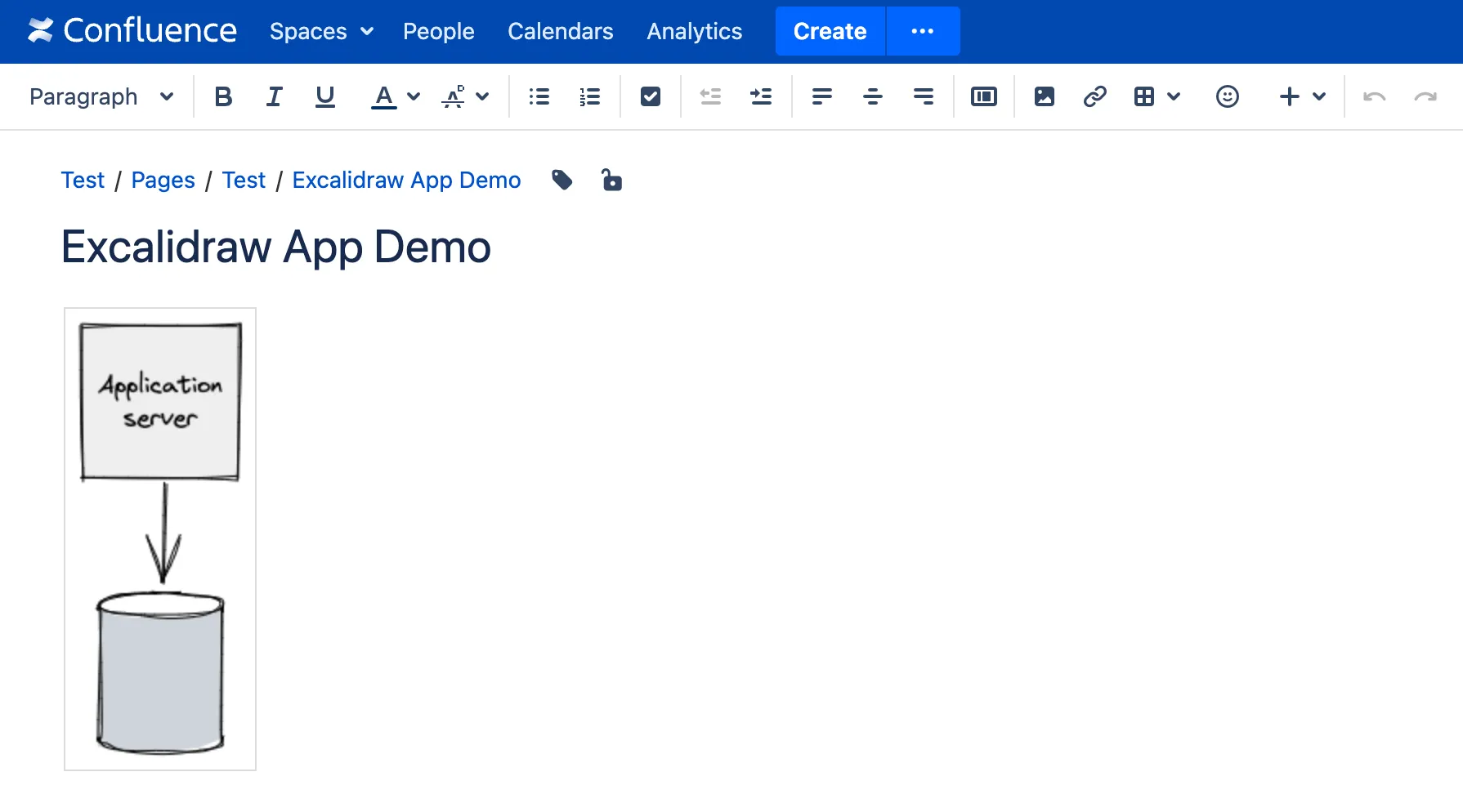
Section titled “Insert Excalidraw drawings”Select the Excalidraw macro from the macro list.
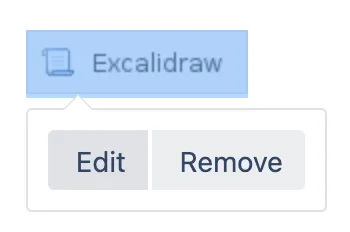
Click on the macro placeholder, and click Edit.
Draw anything you want. To draw perfect shapes like a circle, hold the Shift button while drawing.
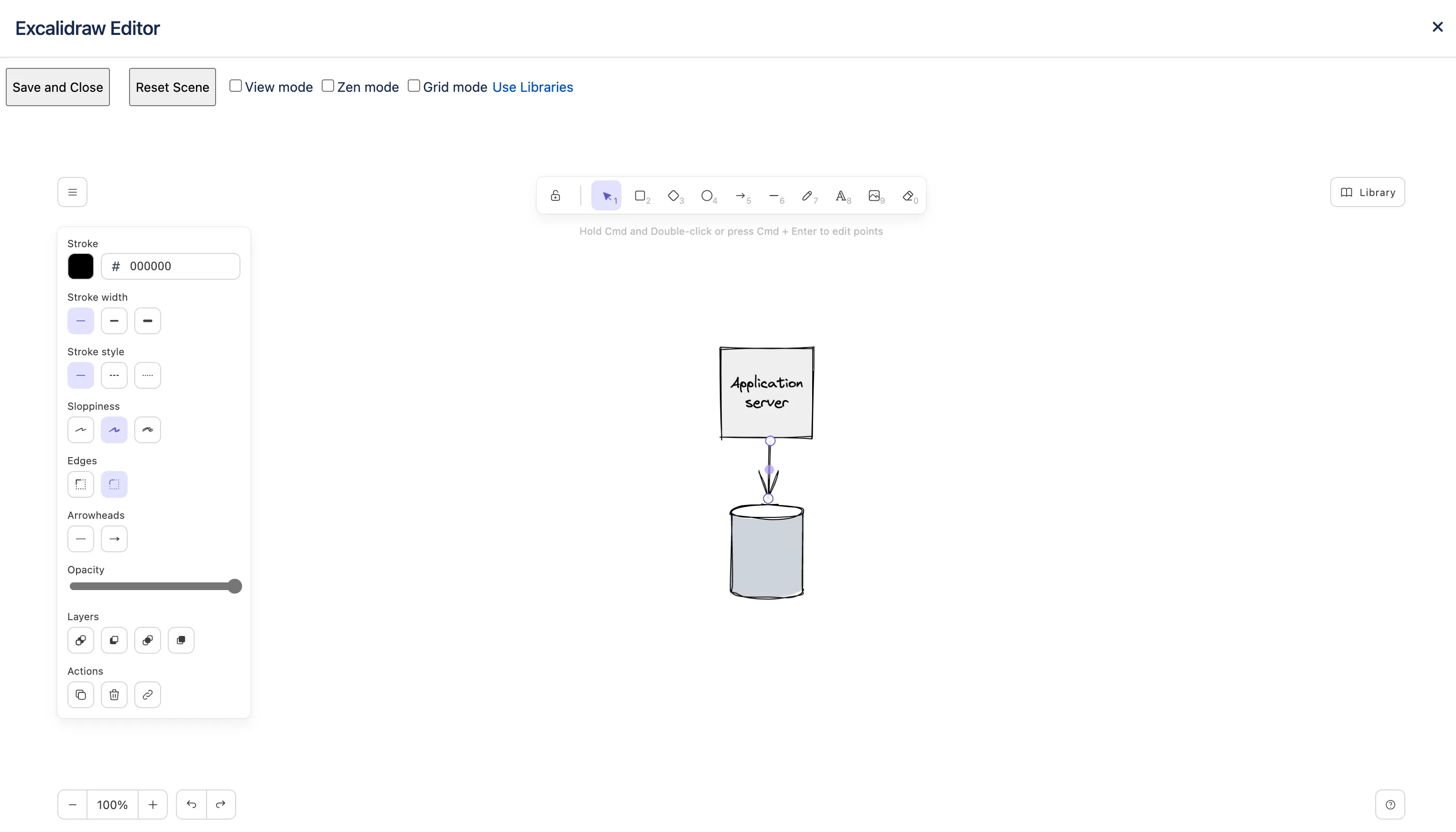
Click Save and Close. If you don’t want to save the changes, click the X button on the top right corner.
Adding new shapes from the Excalidraw Libraries website
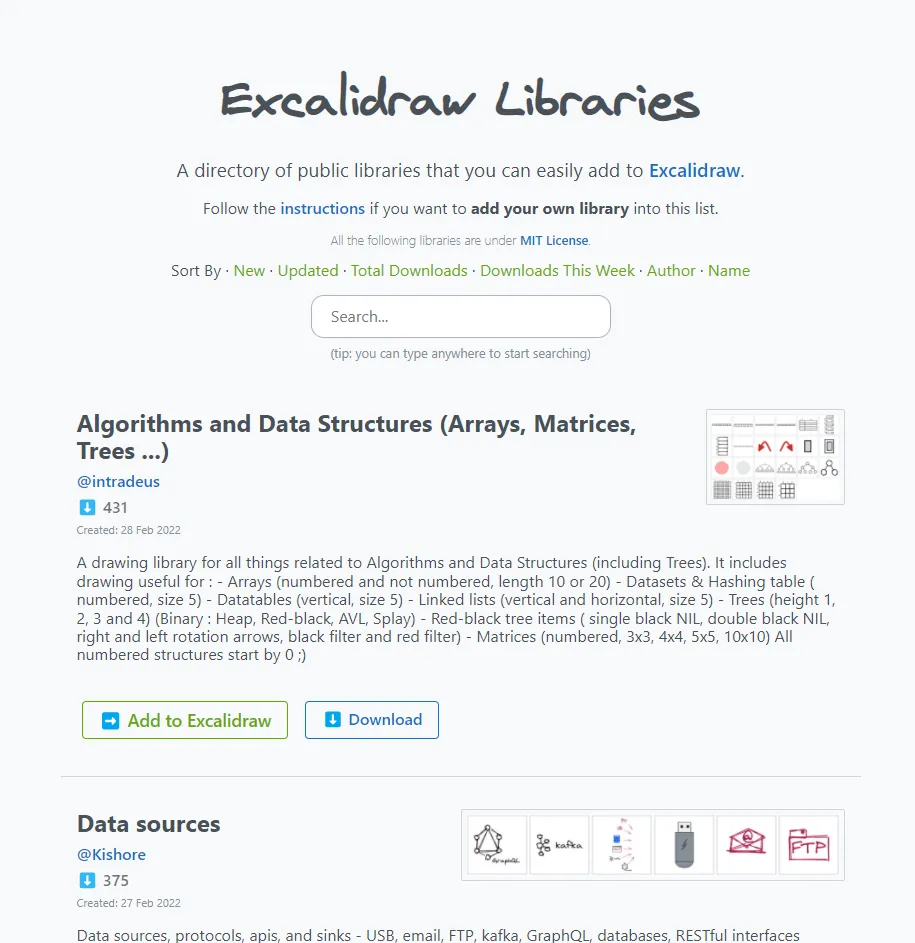
Section titled “Adding new shapes from the Excalidraw Libraries website”The Excalidraw Libraries website (https://libraries.excalidraw.com) provides a lot of useful shapes. These shapes are contributed by the community.
To add new shapes, visit the website and click the Download button to save the collection you need to your computer. The downloaded library file’s extension is .excalidrawlib.
Do not use the Add to Excalidraw button, as the library will not be added to the plugin-hosted Excalidraw Editor.
Open the Excalidraw Editor in Confluence, and upload the library file.
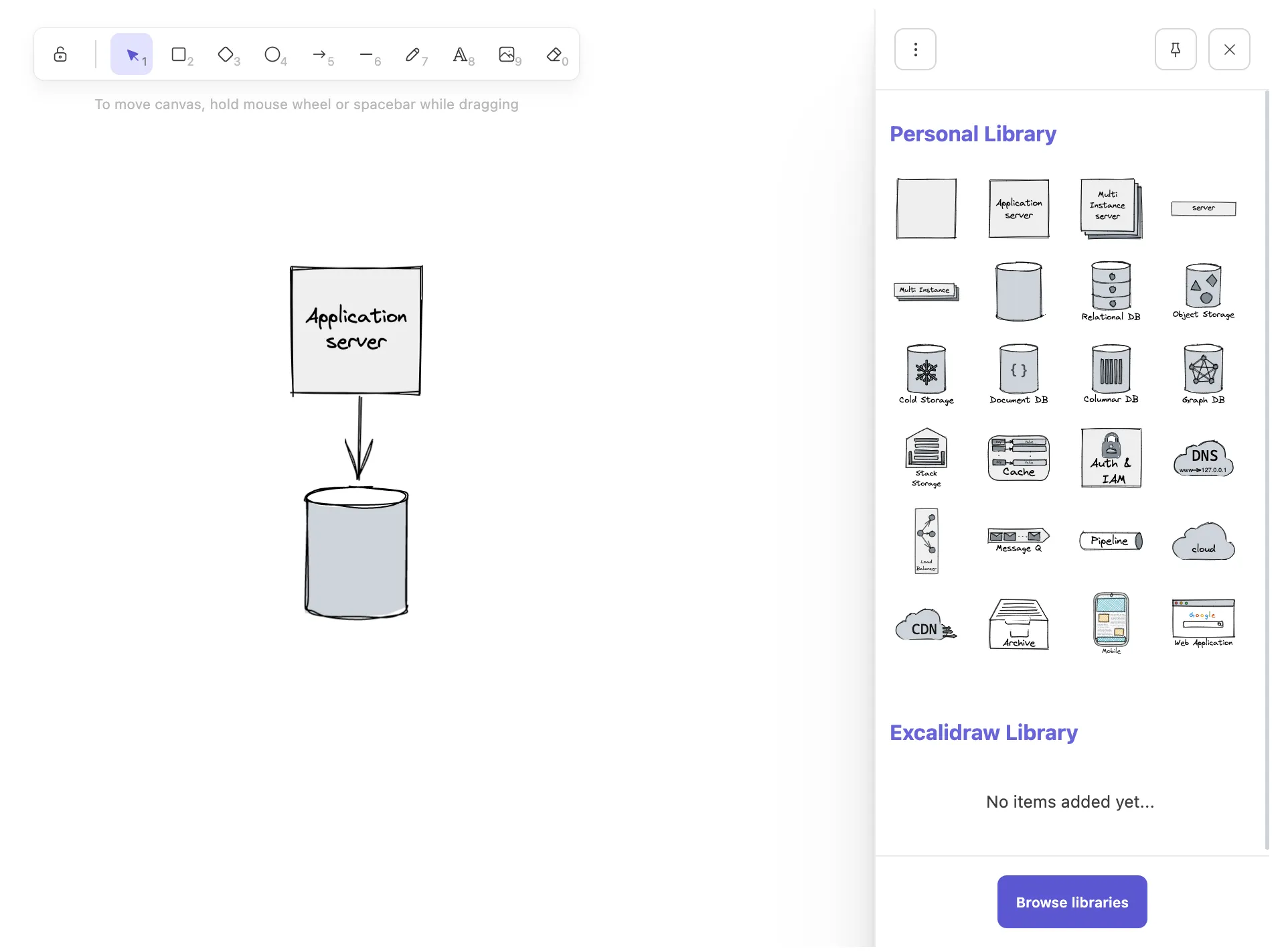
You can then drag and drop shapes into the canvas.
Adding shapes to library
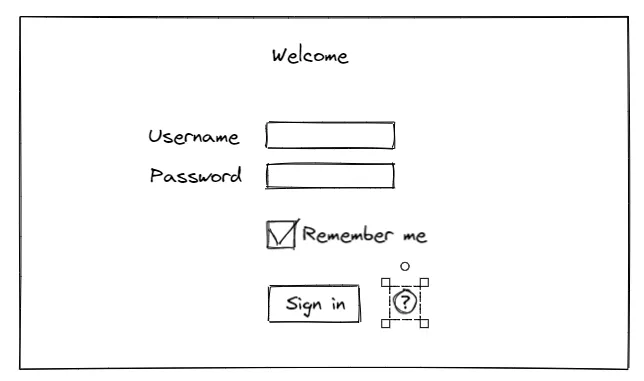
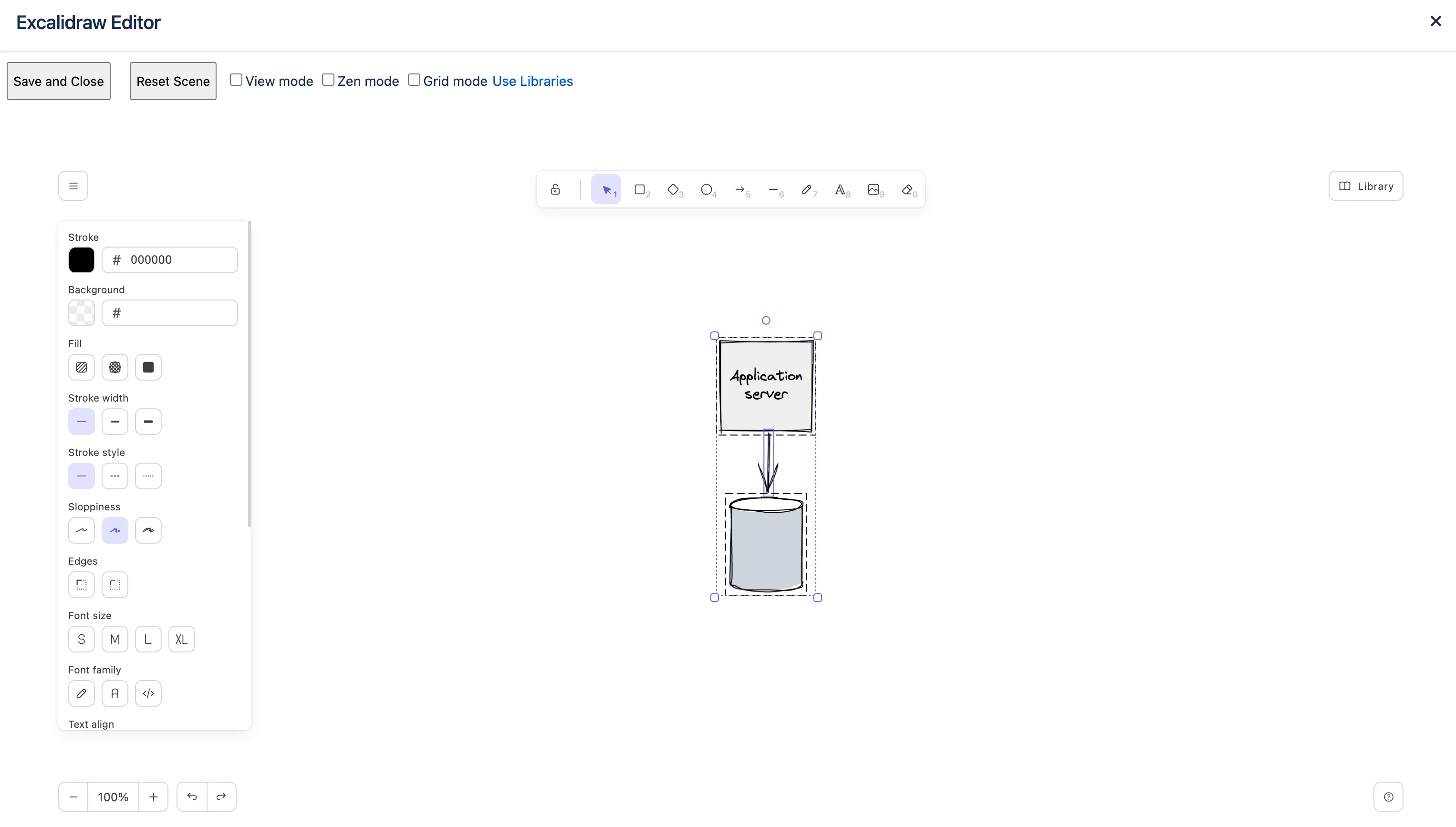
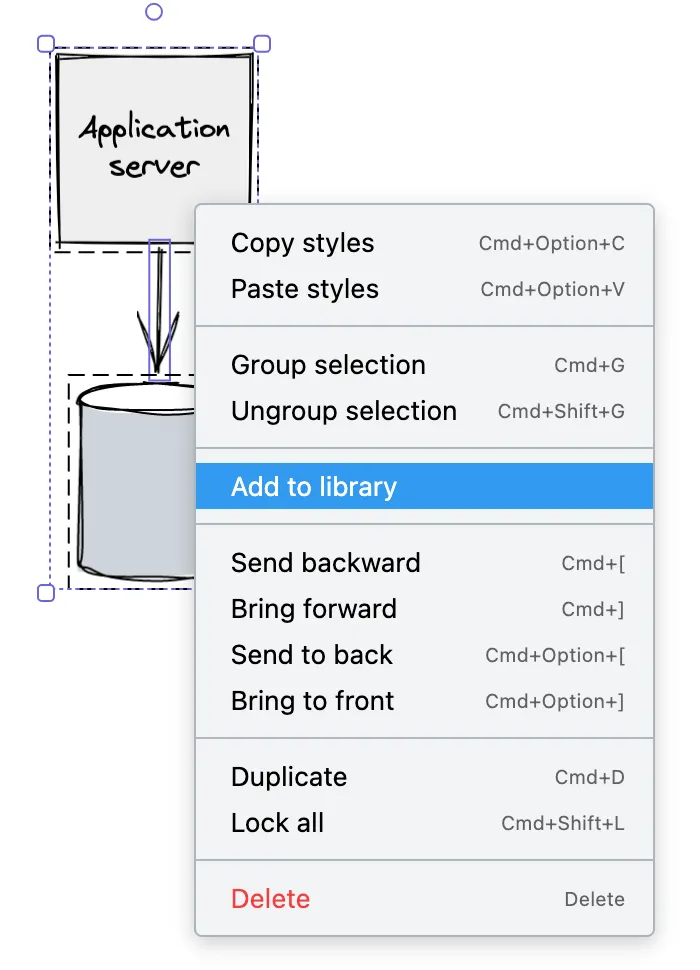
Section titled “Adding shapes to library”To add a shape to library, select the shape, right-click on it, and click Add to Library.
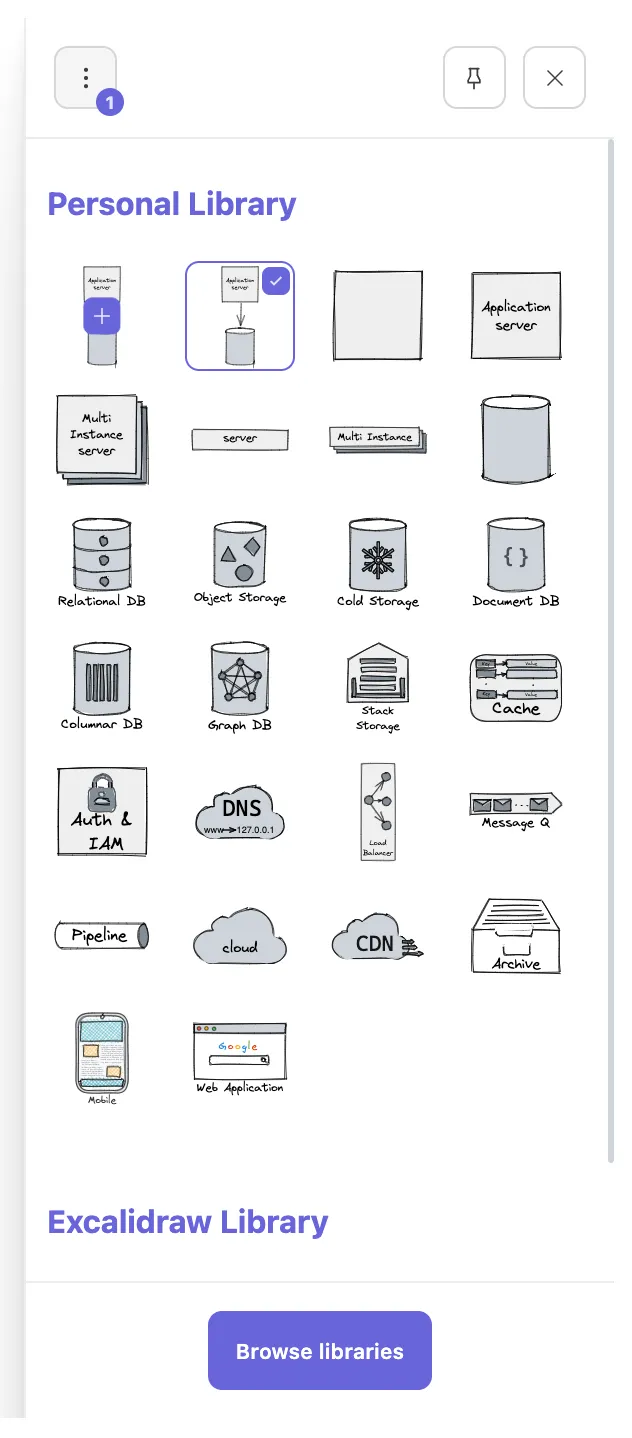
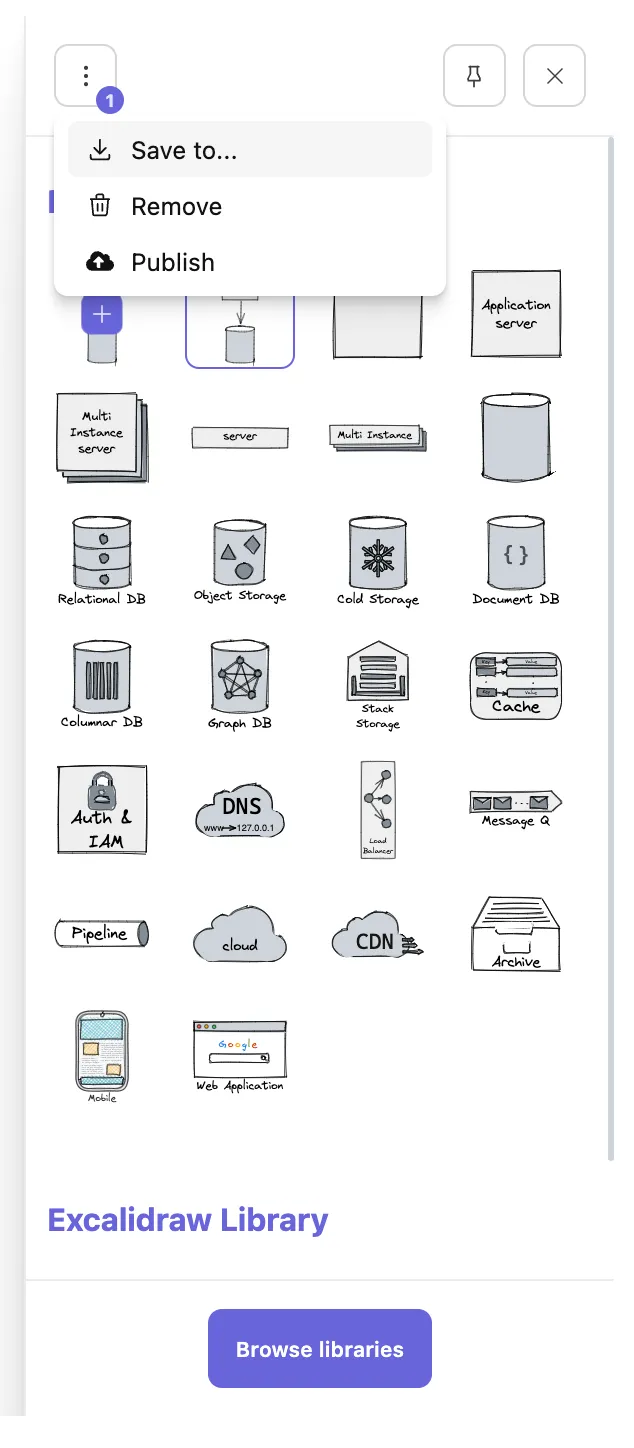
To save your shapes library locally (e.g. for backup purposes), select the shape in the library panel, and click Save to in the menu.
Mermaid UML Diagrams Macro
Section titled “Mermaid UML Diagrams Macro”The Render Mermaid UML Diagrams macro (https://mermaid-js.github.io/mermaid/#/) uses Mermaid to render UML diagrams. It allows you to define UML diagrams in plain-text format just like Markdown.
For a live editor to draft your diagrams, please try https://mermaidjs.github.io/mermaid-live-editor.
In the Confluence editor, insert the Mermaid UML macro.
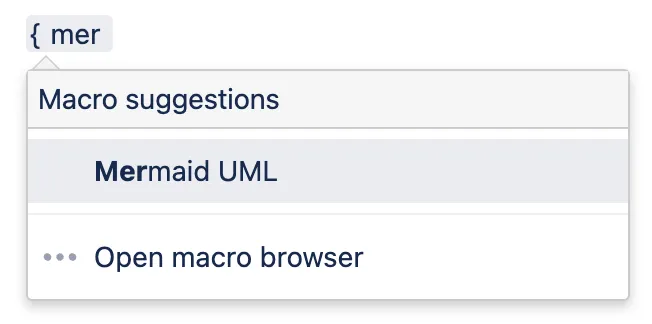
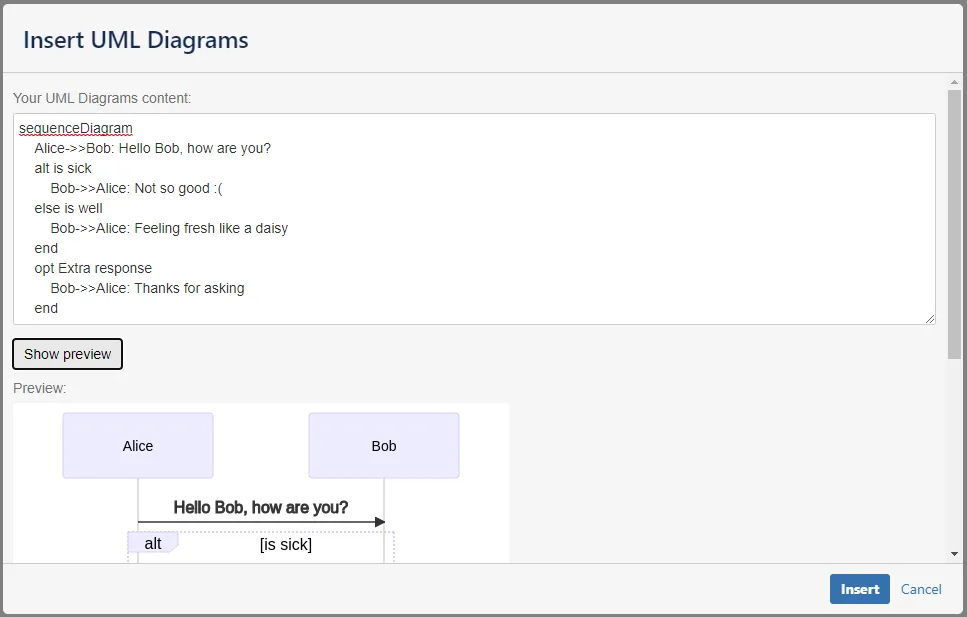
A dialog will appear. Type the content of the UML diagram into the macro editor. Here is an example:
sequenceDiagram participant Alice participant Bob Alice->>John: Hello John, how are you? loop Healthcheck John->>John: Fight against hypochondria end Note right of John: Rational thoughts <br/>prevail! John-->>Alice: Great! John->>Bob: How about you? Bob-->>John: Jolly good!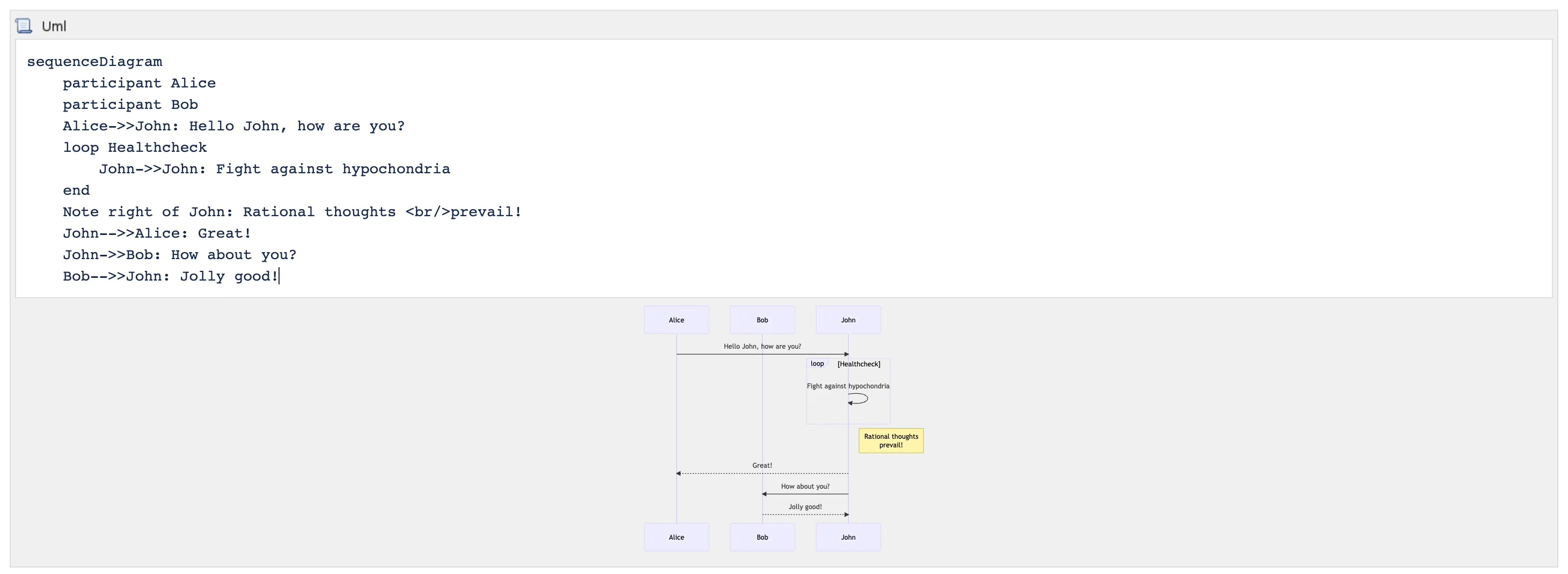
PlantUML Diagrams Macro
Section titled “PlantUML Diagrams Macro”The PlantUML macro (https://plantuml.com/) uses PlantUML to render UML diagrams. It allows you to define UML diagrams in plain-text format just like Markdown.
For a live editor to draft your diagrams, please try http://www.plantuml.com/plantuml.
In the Confluence editor, insert the PlantUML macro.
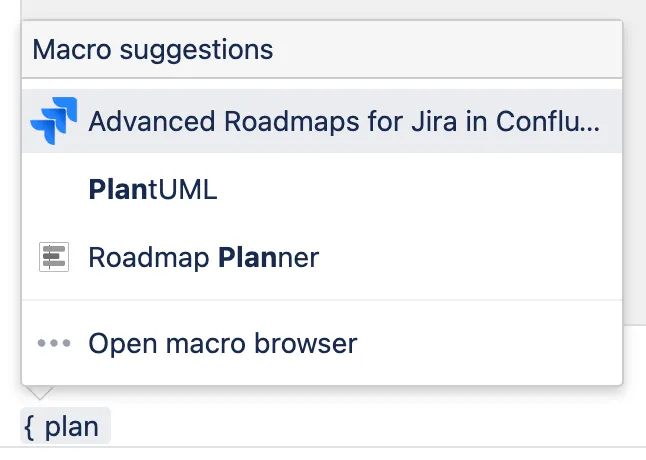
Type the content of the UML diagram into the macro editor.
info
Some PlantUML diagrams requires Graphviz to be installed in the Confluence server https://plantuml.com/graphviz-dot. If you cannot install Graphviz, try adding !pragma layout smetana to the diagram content to enable the Smetana engine https://plantuml.com/smetana02.
Here is an example:
@startuml C4_Elements!pragma layout smetana!include https://raw.githubusercontent.com/plantuml-stdlib/C4-PlantUML/master/C4_Container.puml
Person(personAlias, "Label", "Optional Description")Container(containerAlias, "Label", "Technology", "Optional Description")System(systemAlias, "Label", "Optional Description")
Rel(personAlias, containerAlias, "Label", "Optional Technology")@enduml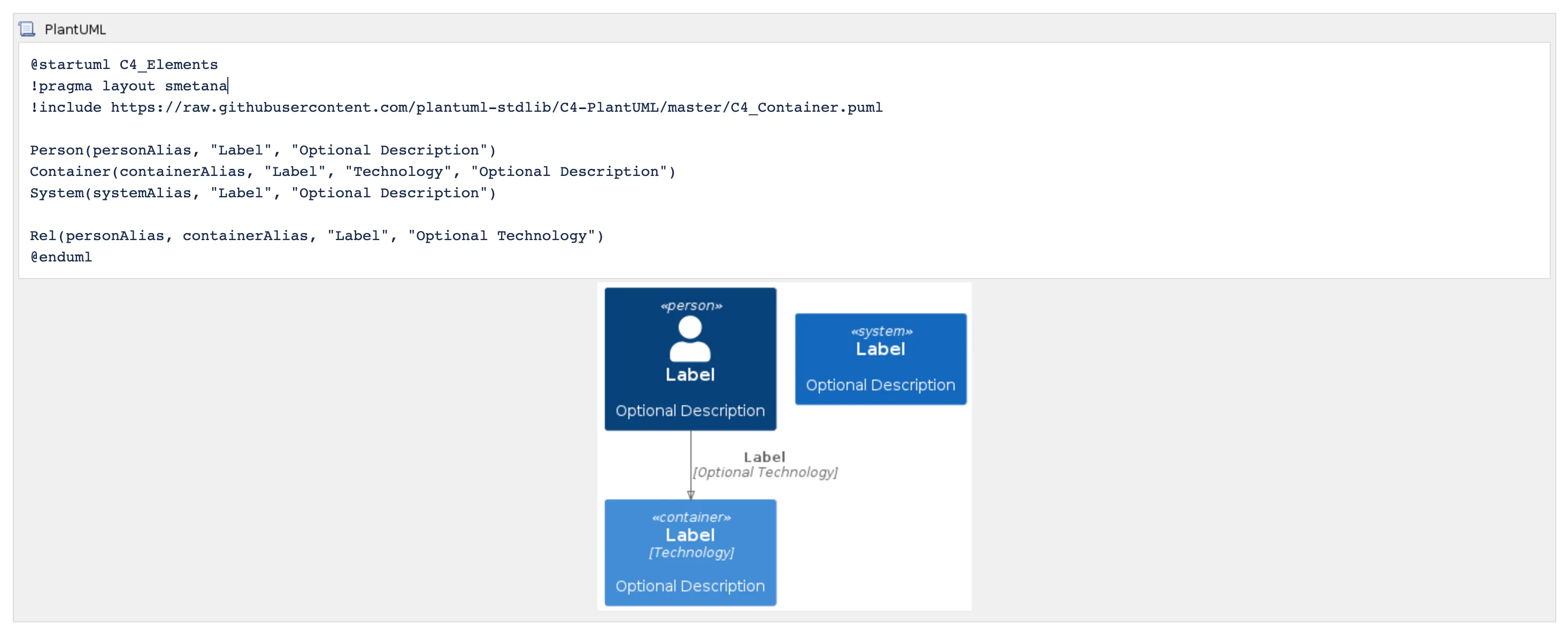
You can find more examples here https://plantuml.com/. The PDF guideline can be downloaded here https://plantuml.com/guide.
Graphviz Diagrams Macro
Section titled “Graphviz Diagrams Macro”The Graphviz layout programs (https://www.graphviz.org/) take descriptions of graphs in a simple text language, and make diagrams in useful formats, such as images and SVG for web pages; PDF or Postscript for inclusion in other documents; or display in an interactive graph browser. Graphviz has many useful features for concrete diagrams, such as options for colors, fonts, tabular node layouts, line styles, hyperlinks, and custom shapes.
You can find more Graphviz examples here.
In the Confluence editor, insert the Graphviz macro.
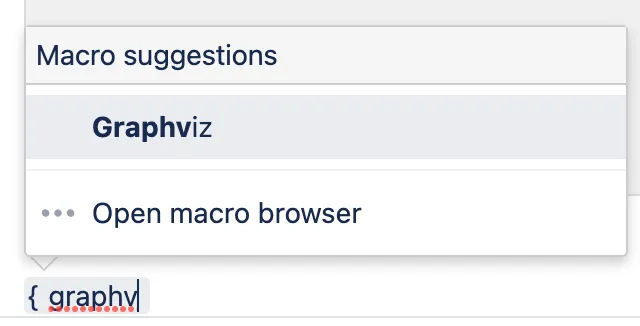
Type the content of the Graphviz diagram into the macro editor. Here is an example:
graph { a -- b; b -- c; a -- c; d -- c; e -- c; e -- a;}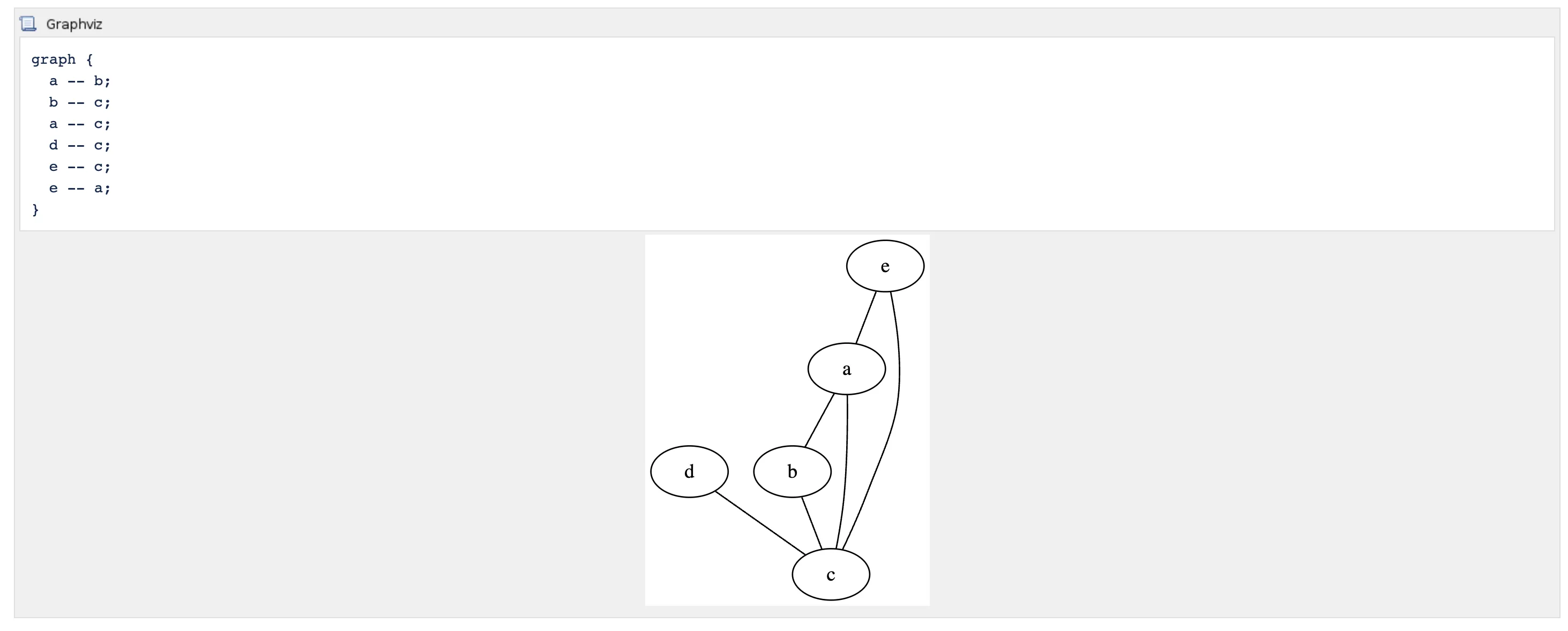
Examples
Section titled “Examples”Mermaid
Section titled “Mermaid”Flowchart
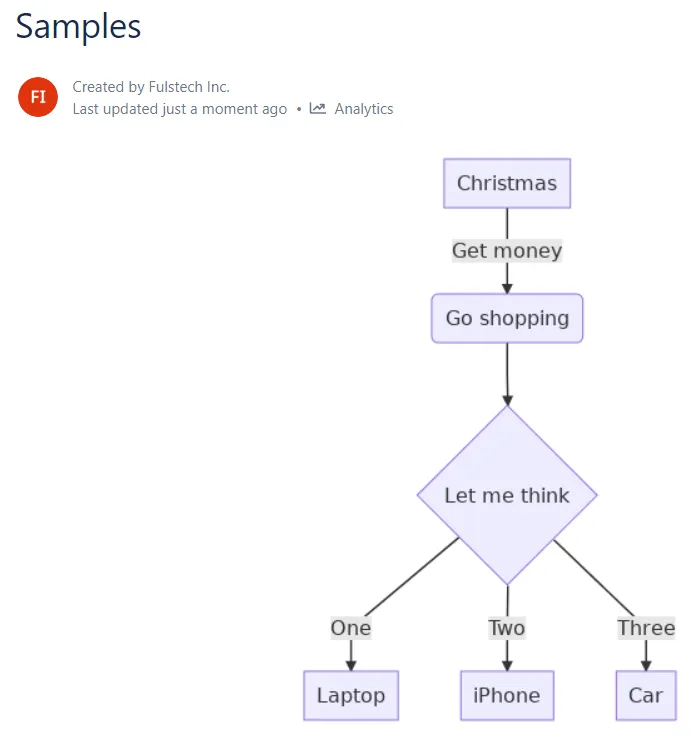
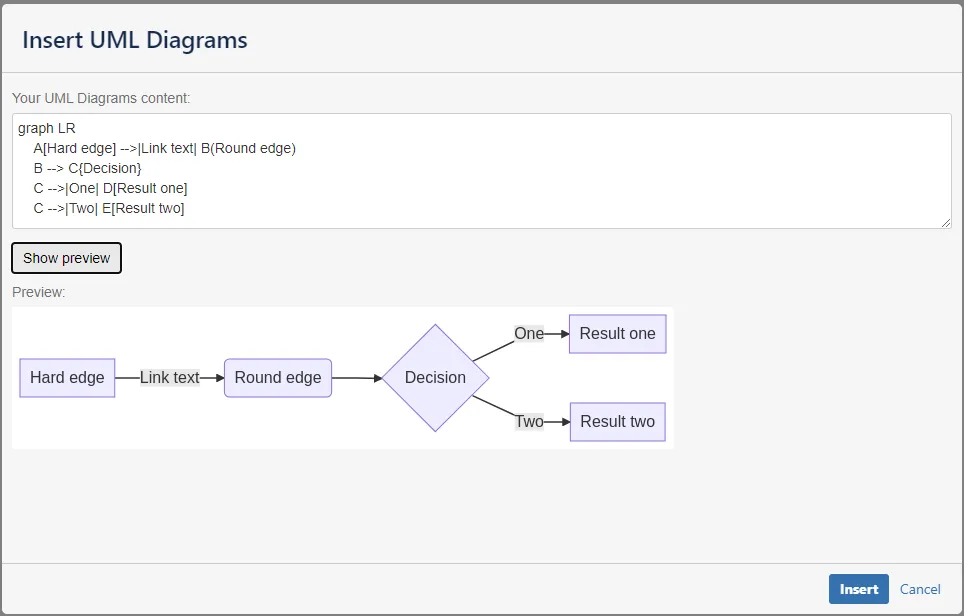
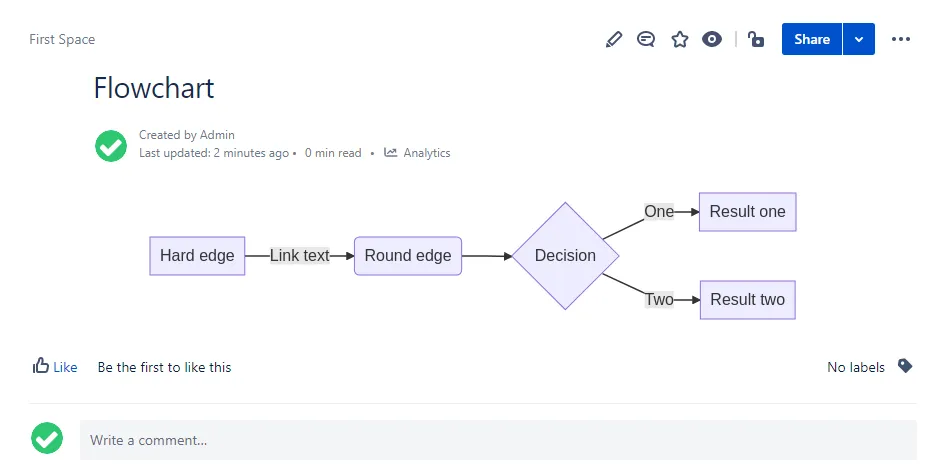
Section titled “Flowchart”Flowcharts can be rendered with Mermaid. See more https://mermaid-js.github.io/mermaid/#/flowchart.
Sequence diagram
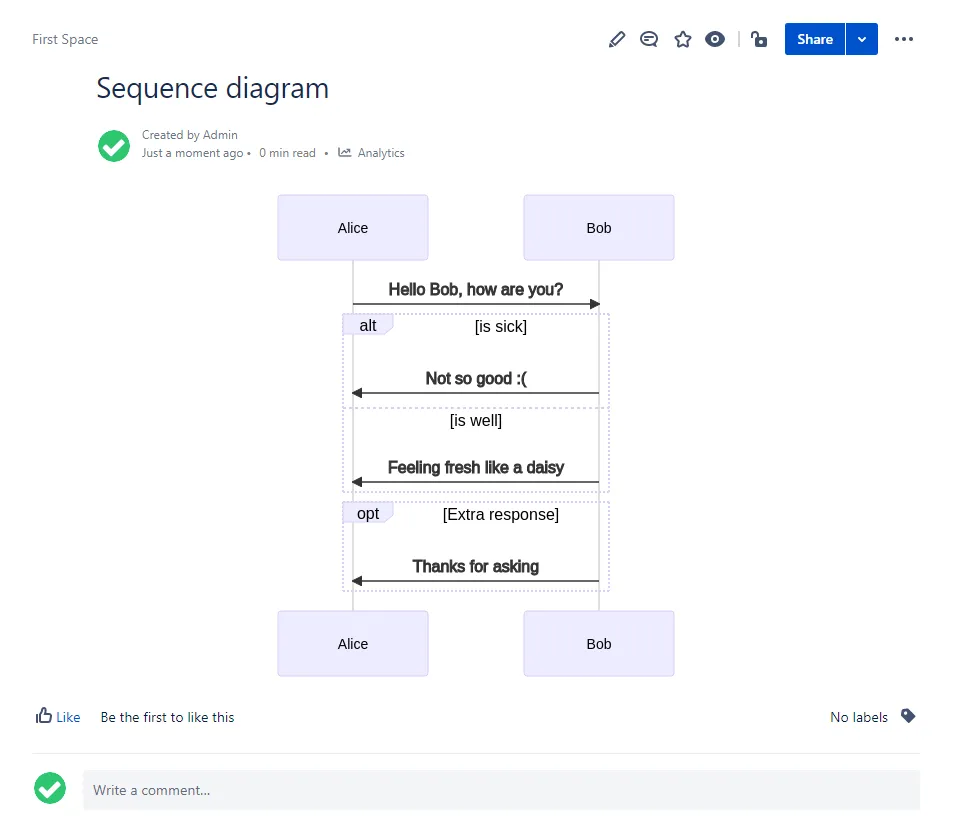
Section titled “Sequence diagram”Sequence diagrams can be rendered with Mermaid. See more https://mermaid-js.github.io/mermaid/#/sequenceDiagram.
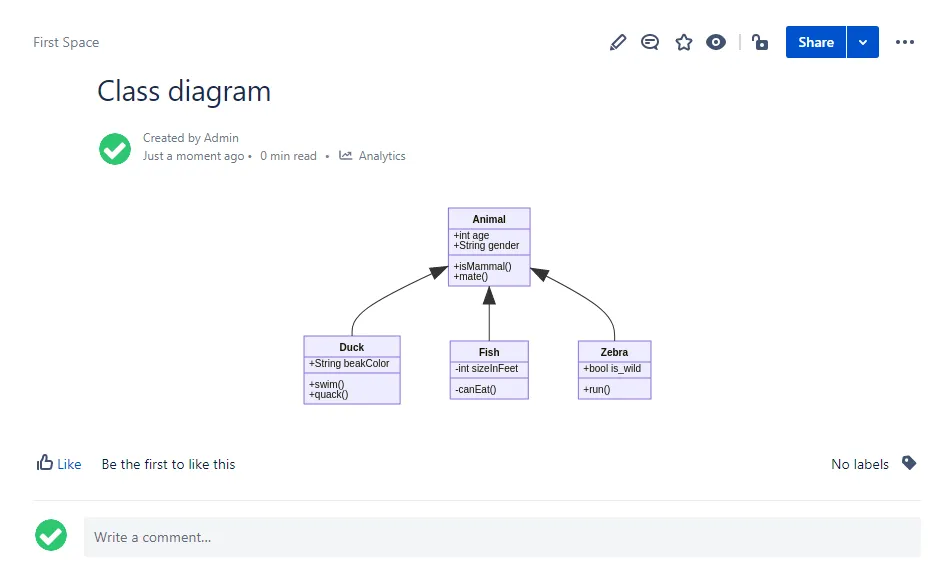
Class diagram
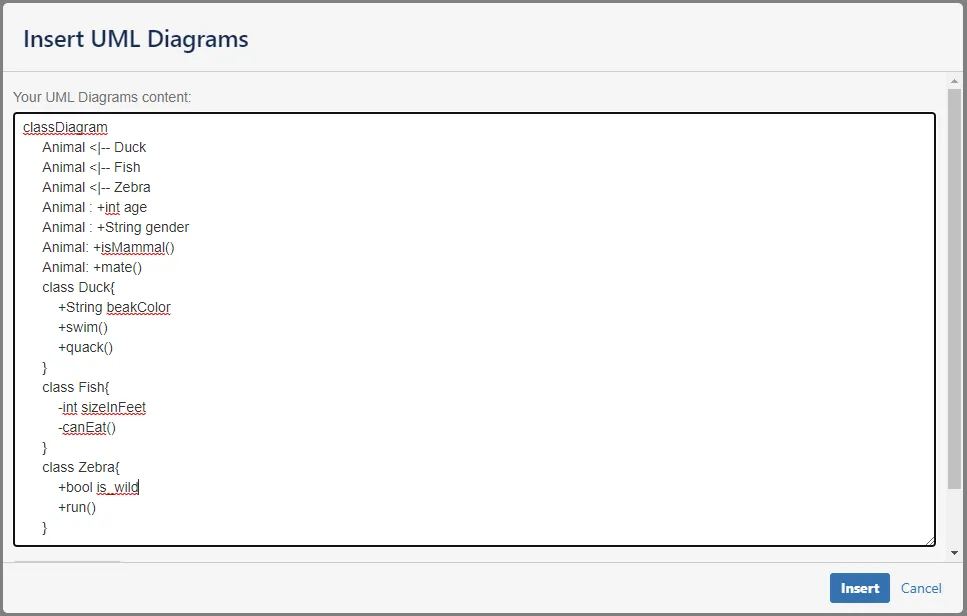
Section titled “Class diagram”Class diagrams can be rendered with Mermaid. See more https://mermaid-js.github.io/mermaid/#/classDiagram.
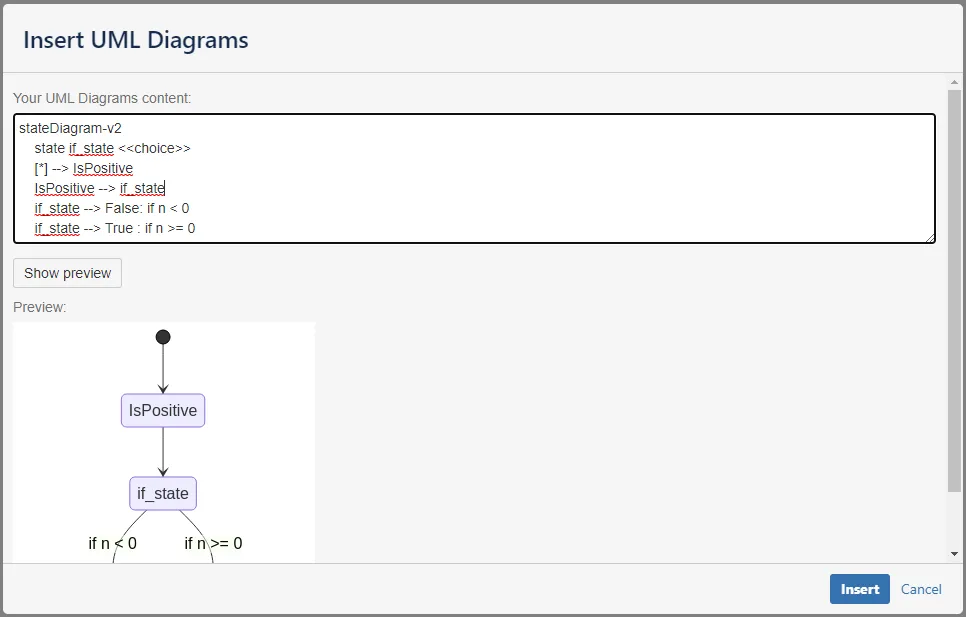
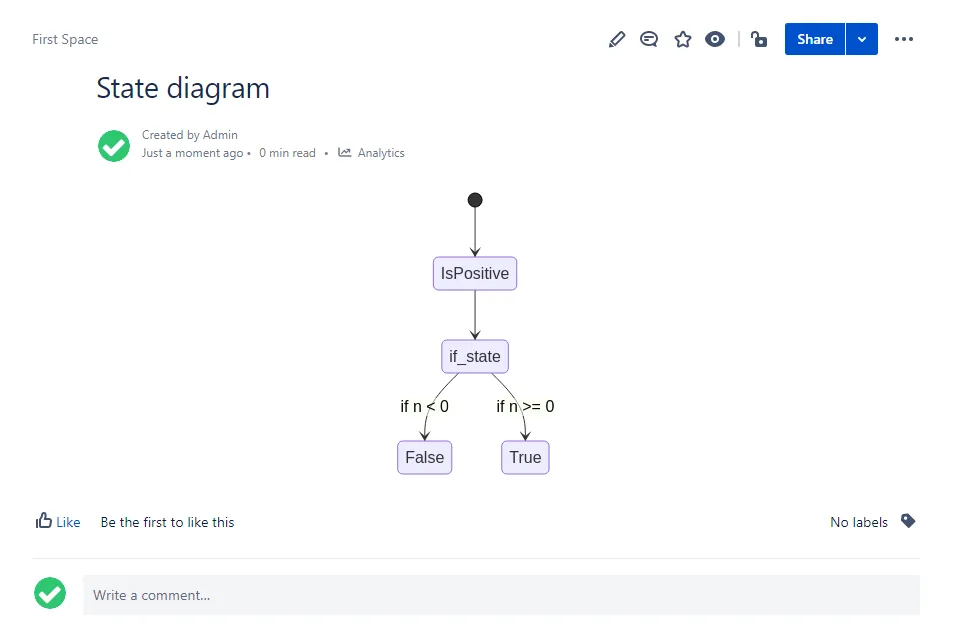
State diagram
Section titled “State diagram”State diagrams can be rendered with Mermaid. See more https://mermaid-js.github.io/mermaid/#/stateDiagram.
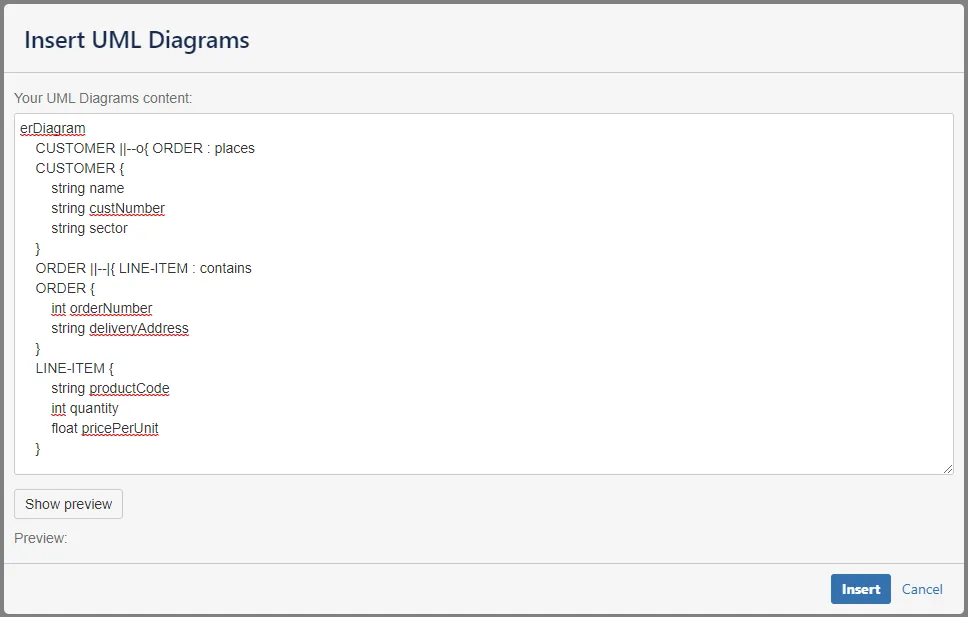
Entity Relationship diagram
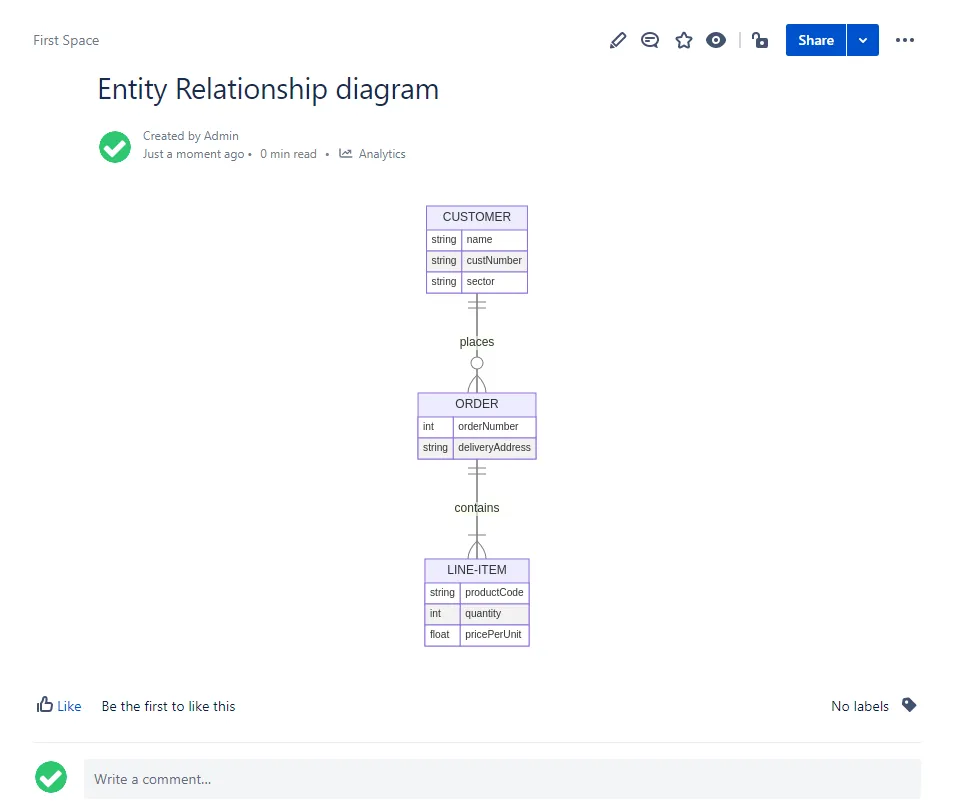
Section titled “Entity Relationship diagram”Entity Relationship diagrams can be rendered with Mermaid. See more https://mermaid-js.github.io/mermaid/#/entityRelationshipDiagram.
User Journey
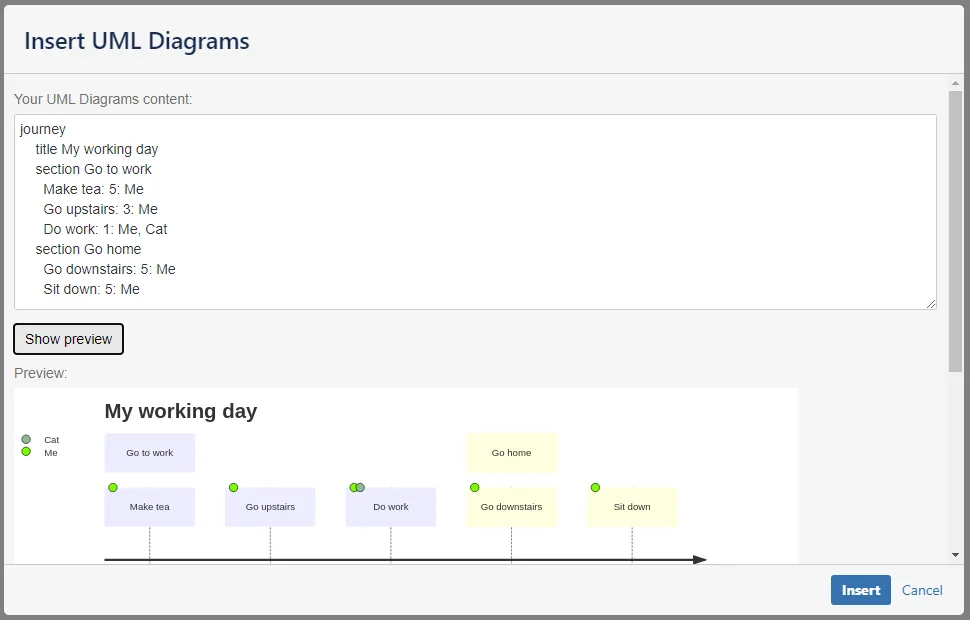
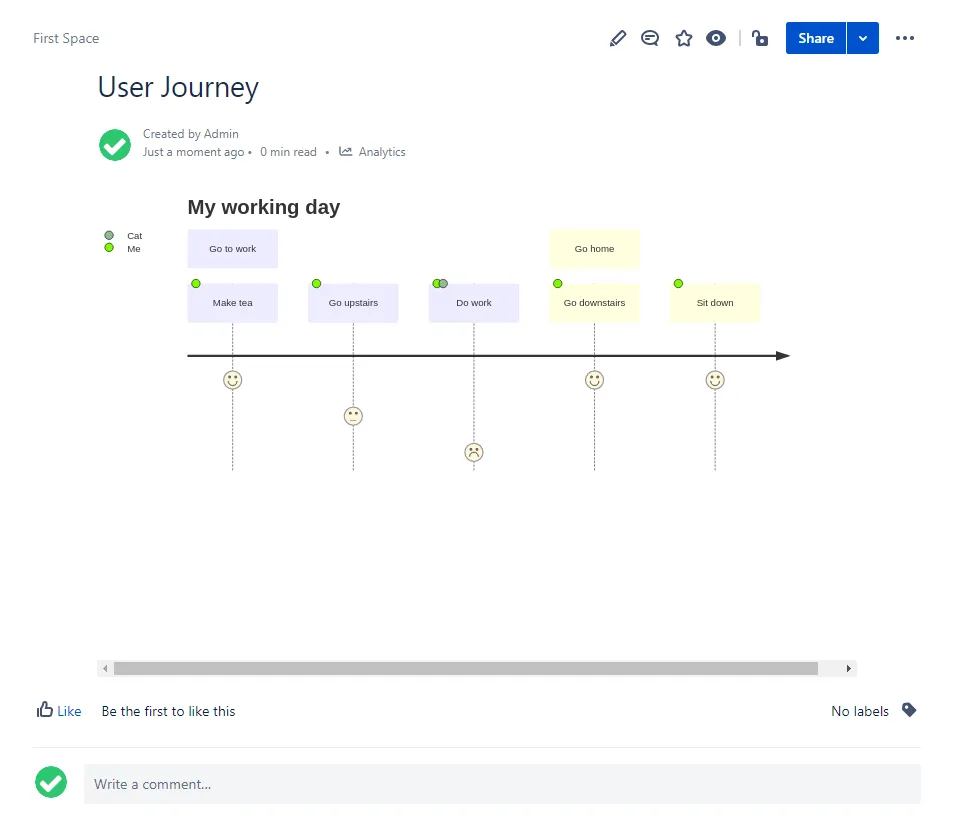
Section titled “User Journey”User Journey can be rendered with Mermaid. See more https://mermaid-js.github.io/mermaid/#/user-journey.
Gantt chart
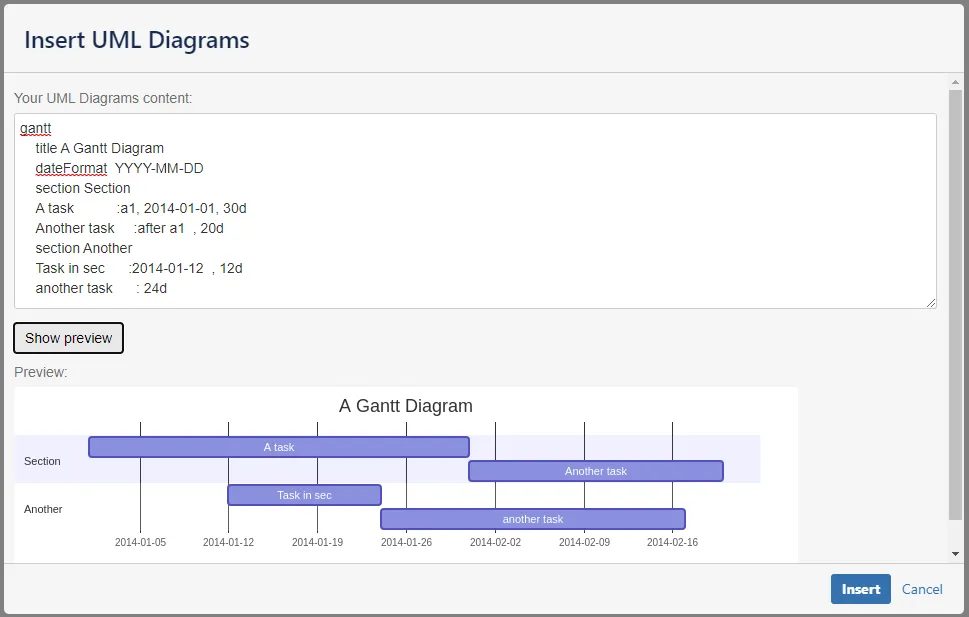
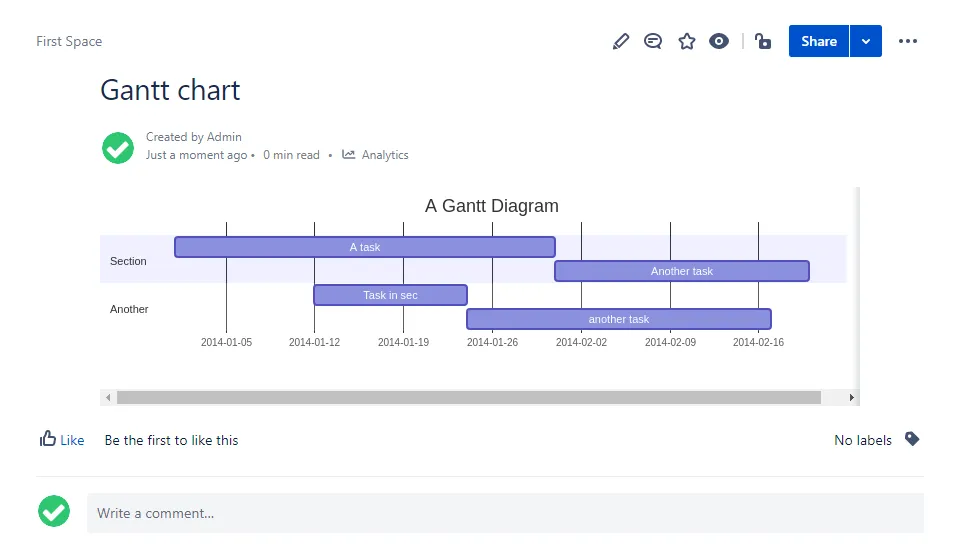
Section titled “Gantt chart”Gantt charts can be rendered with Mermaid. See more https://mermaid-js.github.io/mermaid/#/gantt.
Pie chart
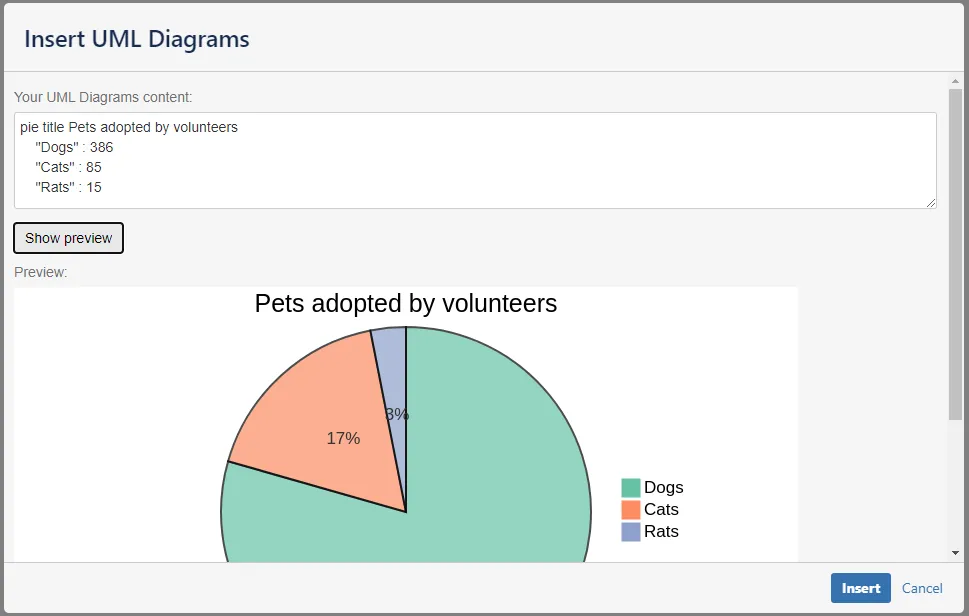
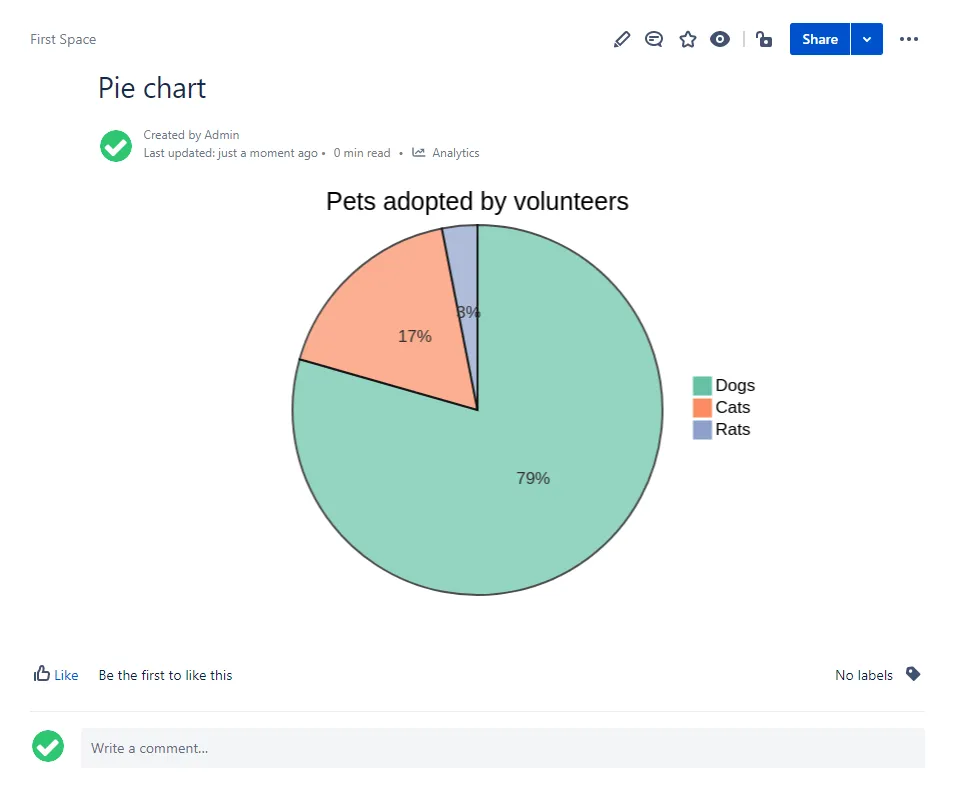
Section titled “Pie chart”Pie charts can be rendered with Mermaid. See more https://mermaid-js.github.io/mermaid/#/pie.
Graphviz
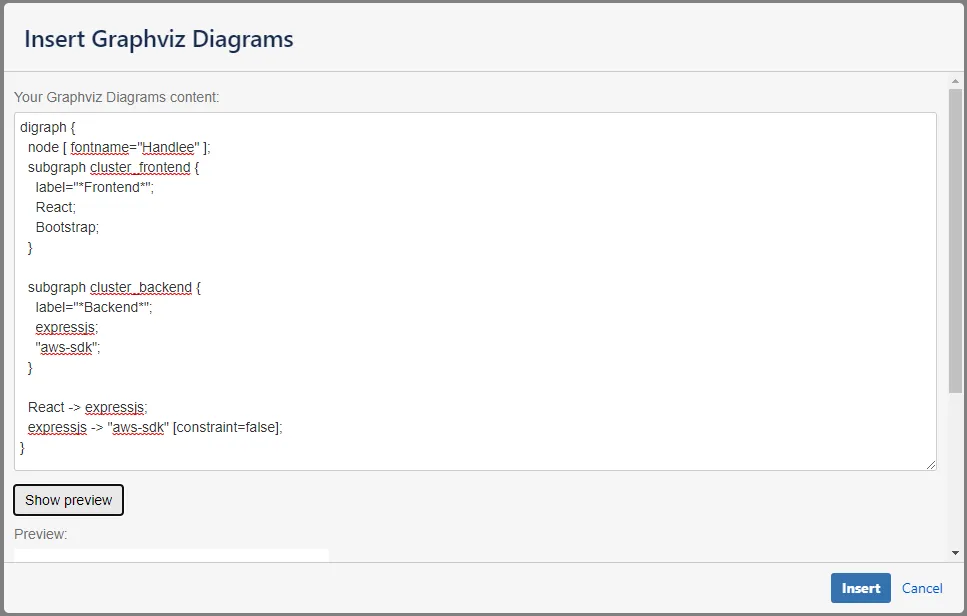
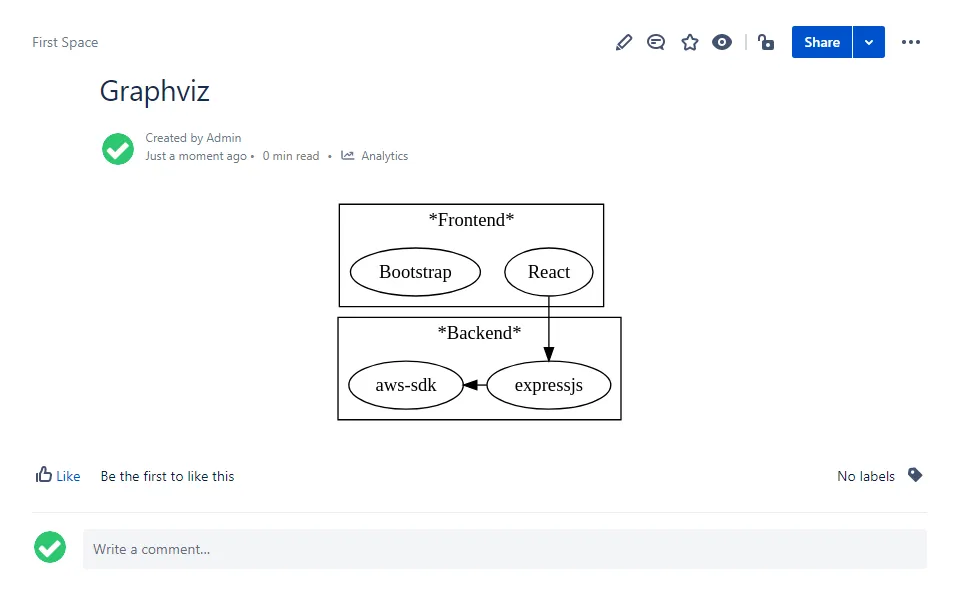
Section titled “Graphviz”This diagram is rendered with Graphviz.
PlantUML
Section titled “PlantUML”Sequence diagram
Section titled “Sequence diagram”@startumlAlice -> Bob: Authentication RequestBob --> Alice: Authentication ResponseAlice -> Bob: Another authentication RequestAlice <-- Bob: Another authentication Response@enduml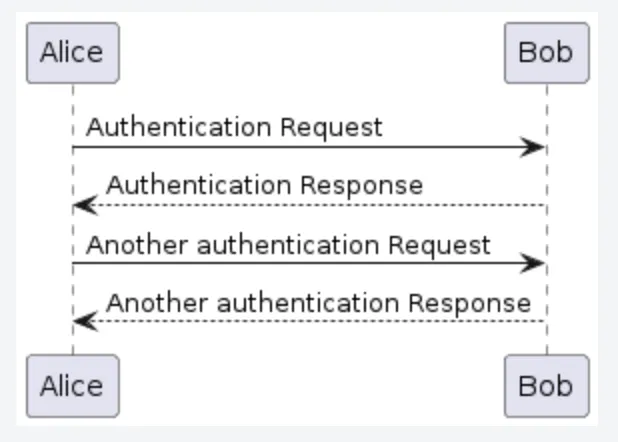
Use Case diagram
Section titled “Use Case diagram”@startuml!pragma layout smetanaleft to right directionactor Guest as gpackage Professional { actor Chef as c actor "Food Critic" as fc}package Restaurant { usecase "Eat Food" as UC1 usecase "Pay for Food" as UC2 usecase "Drink" as UC3 usecase "Review" as UC4}fc --> UC4g --> UC1g --> UC2g --> UC3@enduml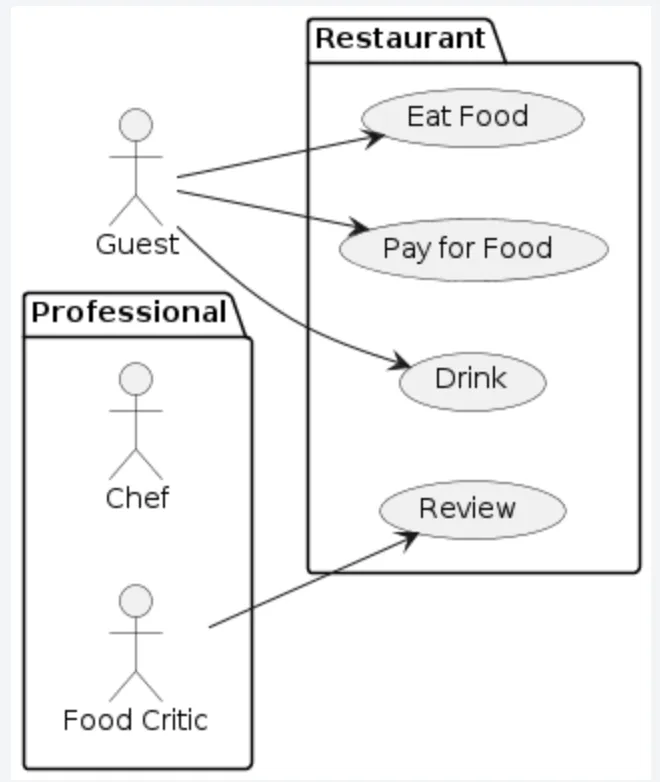
Class diagram
Section titled “Class diagram”@startuml!pragma layout smetanaObject <|-- ArrayListObject : equals()ArrayList : Object[] elementDataArrayList : size()@enduml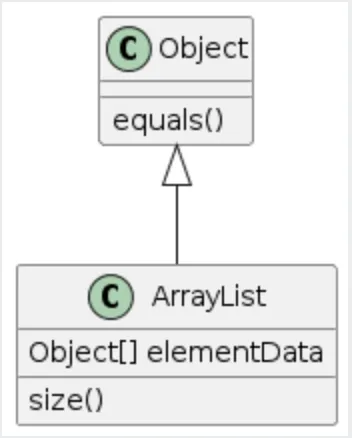
Activity diagram
Section titled “Activity diagram”@startumlstartrepeat :read data; :generate diagrams;repeat while (more data?) is (yes)->no;stop@enduml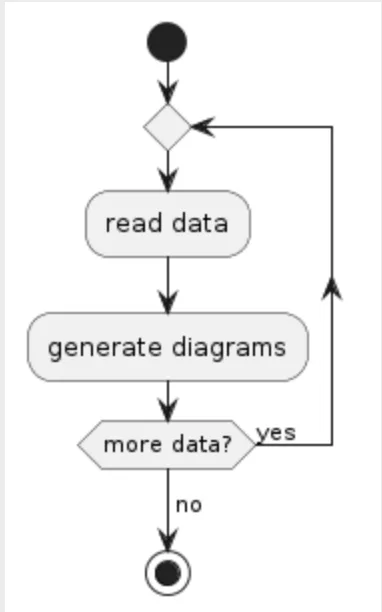
Component diagram
Section titled “Component diagram”@startuml!pragma layout smetanapackage "Some Group" { HTTP - [First Component] [Another Component]}node "Other Groups" { FTP - [Second Component] [First Component] --> FTP}cloud { [Example 1]}database "MySql" { folder "This is my folder" { [Folder 3] } frame "Foo" { [Frame 4] }}[Another Component] --> [Example 1][Example 1] --> [Folder 3][Folder 3] --> [Frame 4]@enduml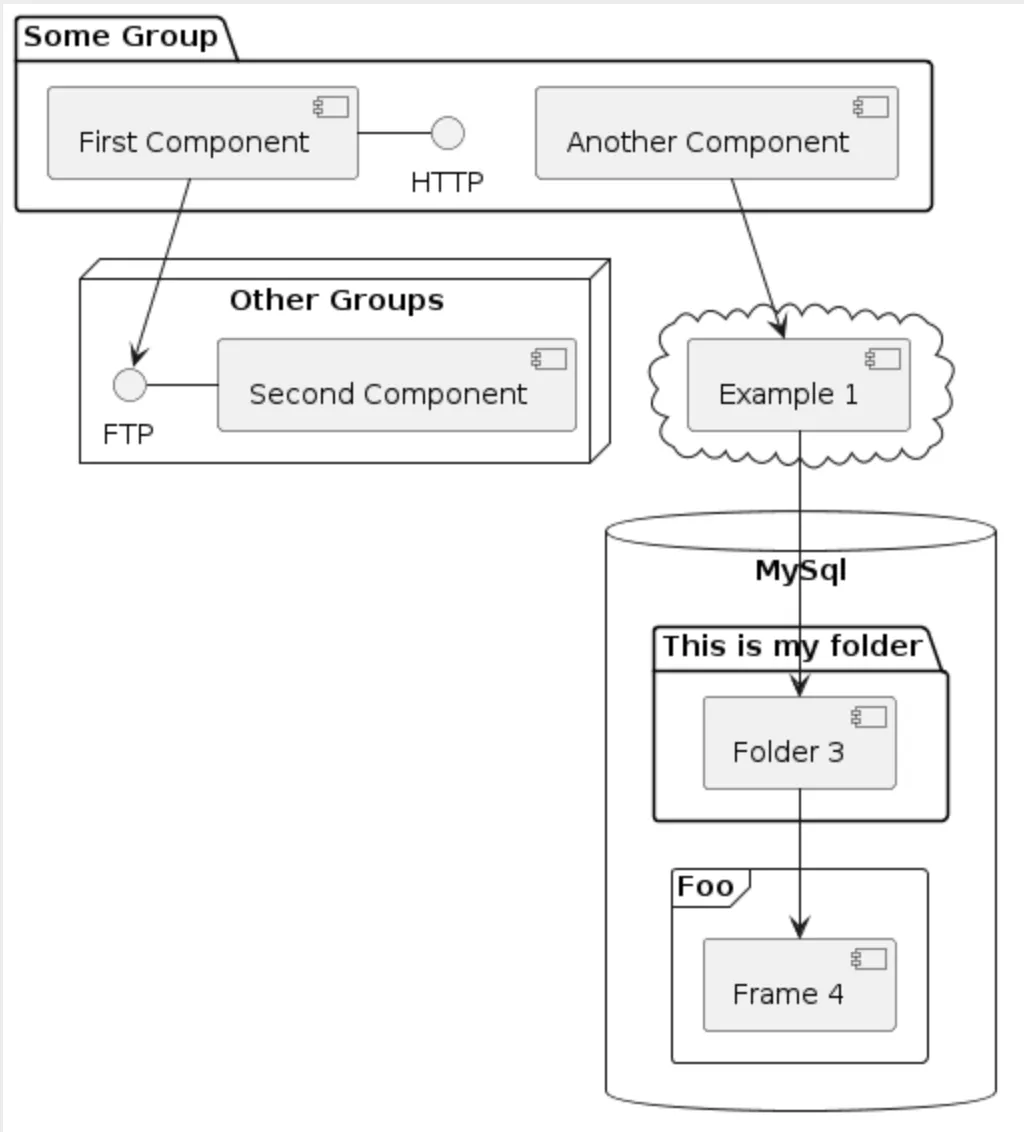
Deployment diagram
Section titled “Deployment diagram”@startuml!pragma layout smetananode node1node node2node node3node node4node node5node1 -- node2 : label1node1 .. node3 : label2node1 ~~ node4 : label3node1 == node5@enduml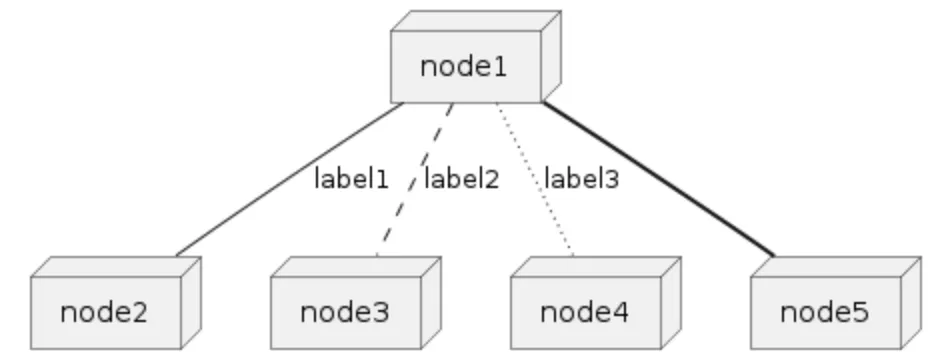
State diagram
Section titled “State diagram”@startuml!pragma layout smetanascale 350 width[*] --> NotShootingstate NotShooting { [*] --> Idle Idle --> Configuring : EvConfig Configuring --> Idle : EvConfig}state Configuring { [*] --> NewValueSelection NewValueSelection --> NewValuePreview : EvNewValue NewValuePreview --> NewValueSelection : EvNewValueRejected NewValuePreview --> NewValueSelection : EvNewValueSaved state NewValuePreview { State1 -> State2 }}@enduml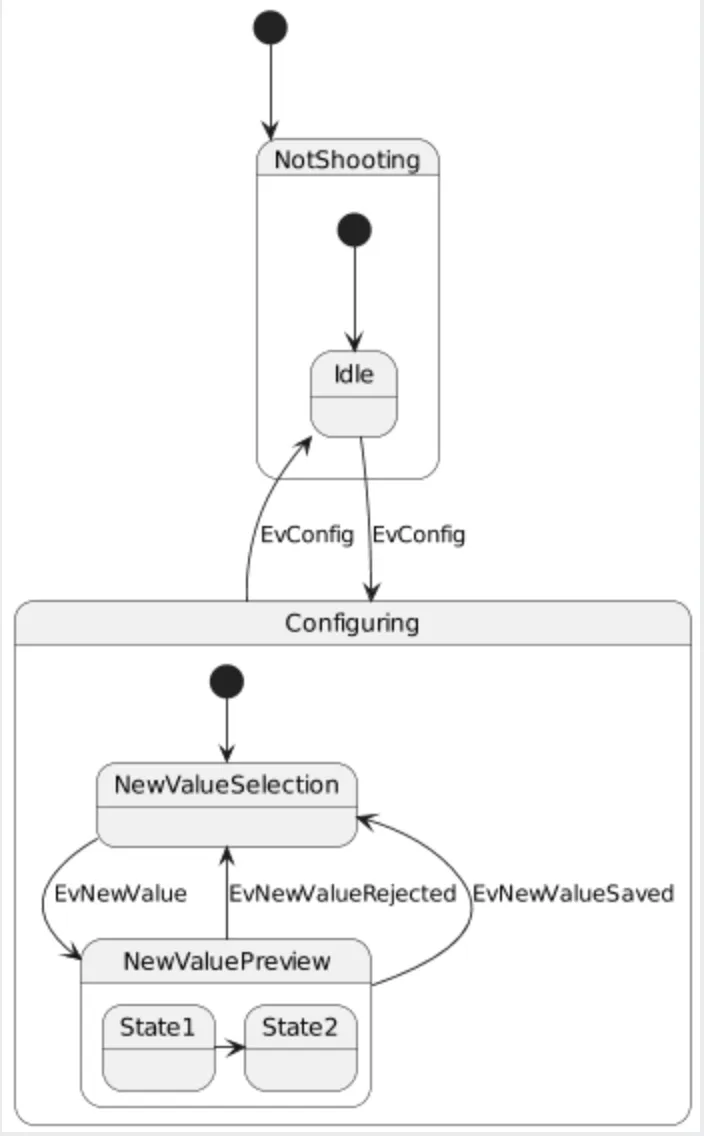
Timing diagram
Section titled “Timing diagram”@startumlrobust "Web Browser" as WBconcise "Web User" as WU@0WU is IdleWB is Idle@100WU is WaitingWB is Processing@300WB is Waiting@enduml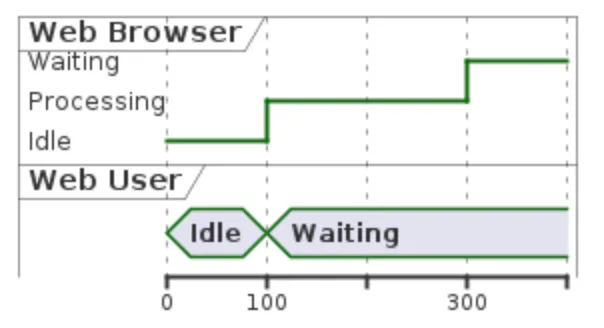
@startjson{ "firstName": "John", "lastName": "Smith", "isAlive": true, "age": 27, "address": { "streetAddress": "21 2nd Street", "city": "New York", "state": "NY", "postalCode": "10021-3100" }, "phoneNumbers": [ { "type": "home", "number": "212 555-1234" }, { "type": "office", "number": "646 555-4567" } ], "children": [], "spouse": null}@endjson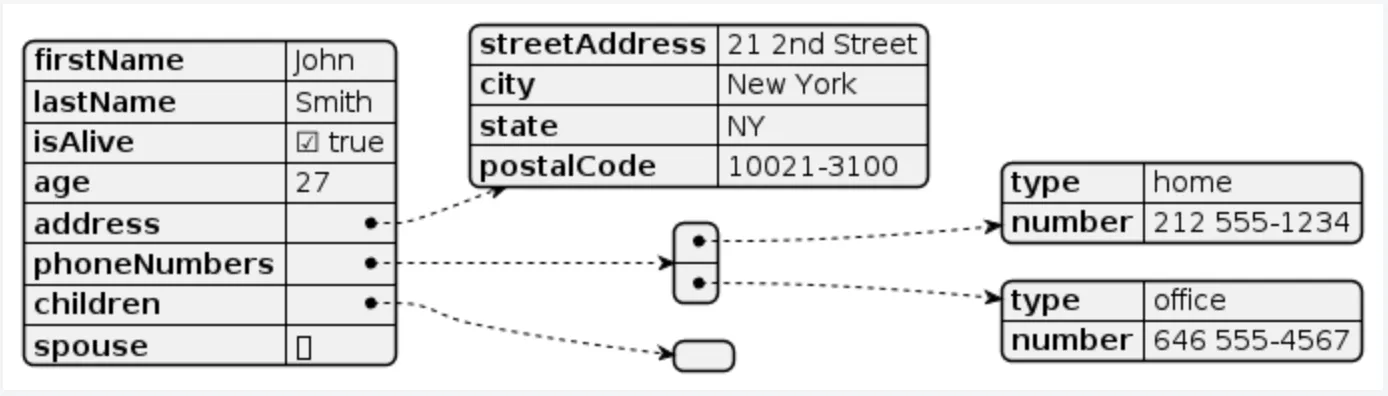
Mindmap
Section titled “Mindmap”@startmindmap* Class Templates**:Example 1<code>template <typename T>class cname{void f1()<U+003B>...}</code>;**:Example 2<code>other template <typename T>class cname{...</code>;@endmindmap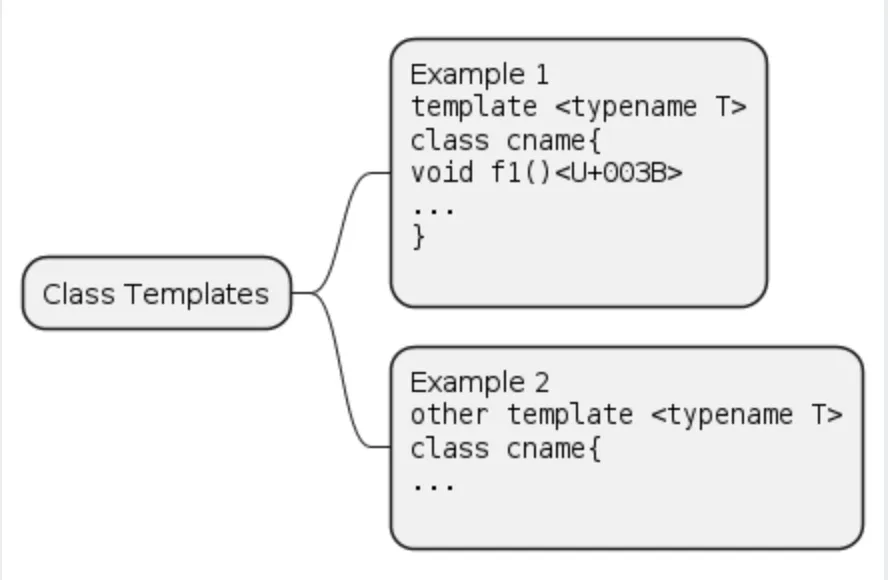
Work Breakdown Structure
Section titled “Work Breakdown Structure”@startwbs* Business Process Modelling WBS** Launch the project*** Complete Stakeholder Research*** Initial Implementation Plan** Design phase*** Model of AsIs Processes Completed**** Model of AsIs Processes Completed1**** Model of AsIs Processes Completed2*** Measure AsIs performance metrics*** Identify Quick Wins** Complete innovate phase@endwbs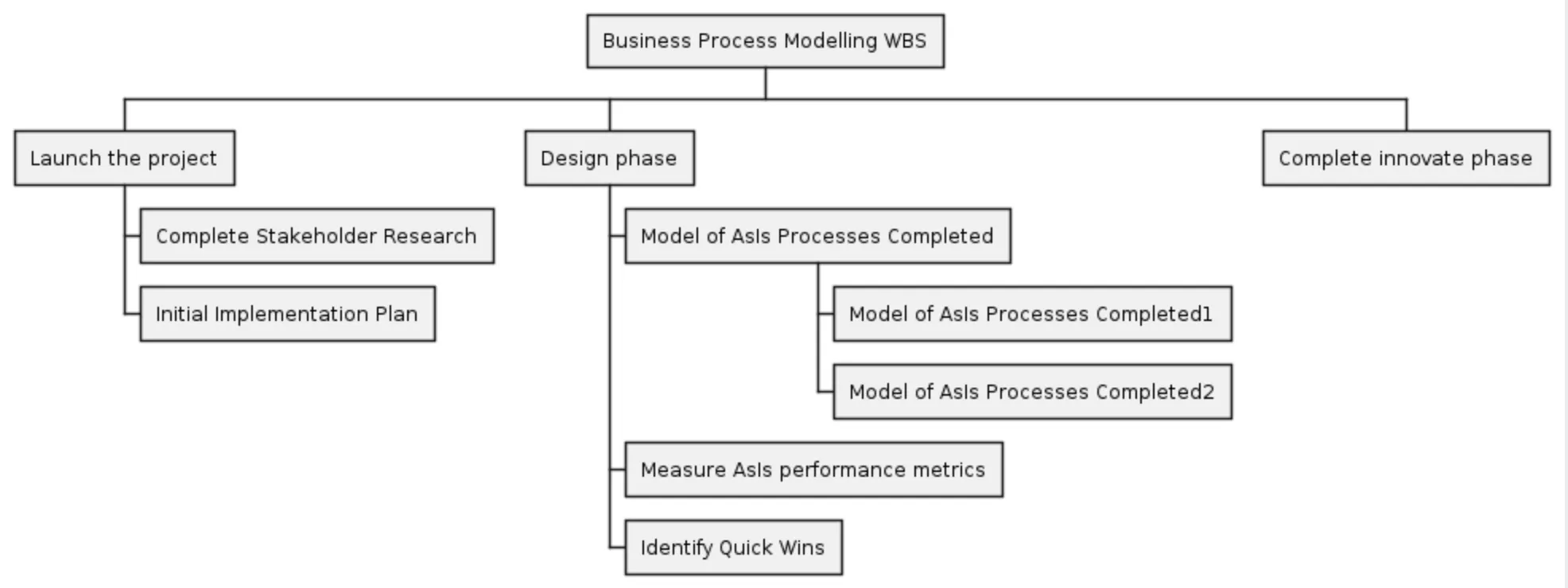
Entity Relationship diagram
Section titled “Entity Relationship diagram”@startuml!pragma layout smetana' hide the spothide circle' avoid problems with angled crows feetskinparam linetype orthoentity "Entity01" as e01 { *e1_id : number <<generated>> -- *name : text description : text}entity "Entity02" as e02 { *e2_id : number <<generated>> -- *e1_id : number <<FK>> other_details : text}entity "Entity03" as e03 { *e3_id : number <<generated>> -- e1_id : number <<FK>> other_details : text}e01 ||..o{ e02e01 |o..o{ e03@enduml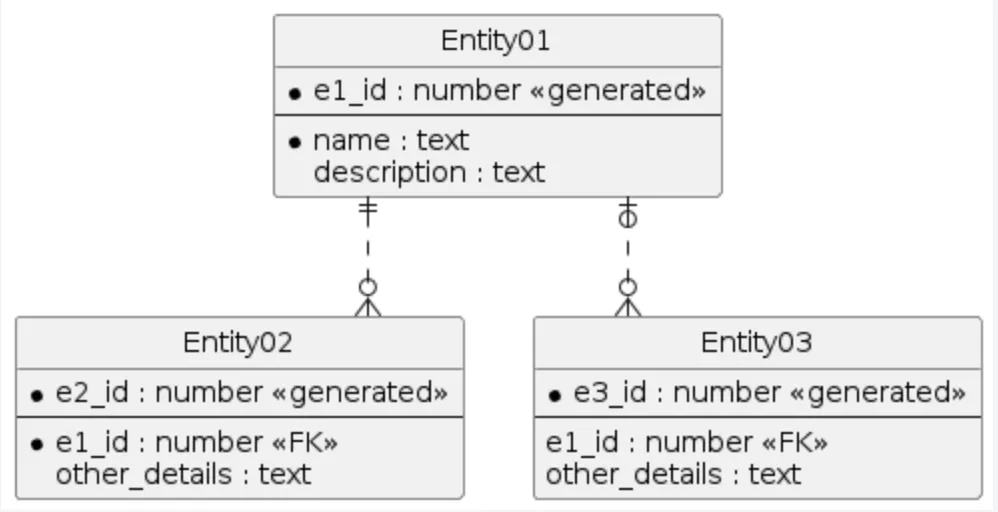
C4 diagram
Section titled “C4 diagram”@startuml!pragma layout smetana!include https://raw.githubusercontent.com/plantuml-stdlib/C4-PlantUML/master/C4_Container.puml' uncomment the following line and comment the first to use locally' !include C4_Container.puml
' LAYOUT_TOP_DOWN()' LAYOUT_AS_SKETCH()LAYOUT_WITH_LEGEND()
title Container diagram for Internet Banking System
Person(customer, Customer, "A customer of the bank, with personal bank accounts")
System_Boundary(c1, "Internet Banking") { Container(web_app, "Web Application", "Java, Spring MVC", "Delivers the static content and the Internet banking SPA") Container(spa, "Single-Page App", "JavaScript, Angular", "Provides all the Internet banking functionality to cutomers via their web browser") Container(mobile_app, "Mobile App", "C#, Xamarin", "Provides a limited subset of the Internet banking functionality to customers via their mobile device") ContainerDb(database, "Database", "SQL Database", "Stores user registration information, hashed auth credentials, access logs, etc.") Container(backend_api, "API Application", "Java, Docker Container", "Provides Internet banking functionality via API")}
System_Ext(email_system, "E-Mail System", "The internal Microsoft Exchange system")System_Ext(banking_system, "Mainframe Banking System", "Stores all of the core banking information about customers, accounts, transactions, etc.")
Rel(customer, web_app, "Uses", "HTTPS")Rel(customer, spa, "Uses", "HTTPS")Rel(customer, mobile_app, "Uses")
Rel_Neighbor(web_app, spa, "Delivers")Rel(spa, backend_api, "Uses", "async, JSON/HTTPS")Rel(mobile_app, backend_api, "Uses", "async, JSON/HTTPS")Rel_Back_Neighbor(database, backend_api, "Reads from and writes to", "sync, JDBC")
Rel_Back(customer, email_system, "Sends e-mails to")Rel_Back(email_system, backend_api, "Sends e-mails using", "sync, SMTP")Rel_Neighbor(backend_api, banking_system, "Uses", "sync/async, XML/HTTPS")@endumlplan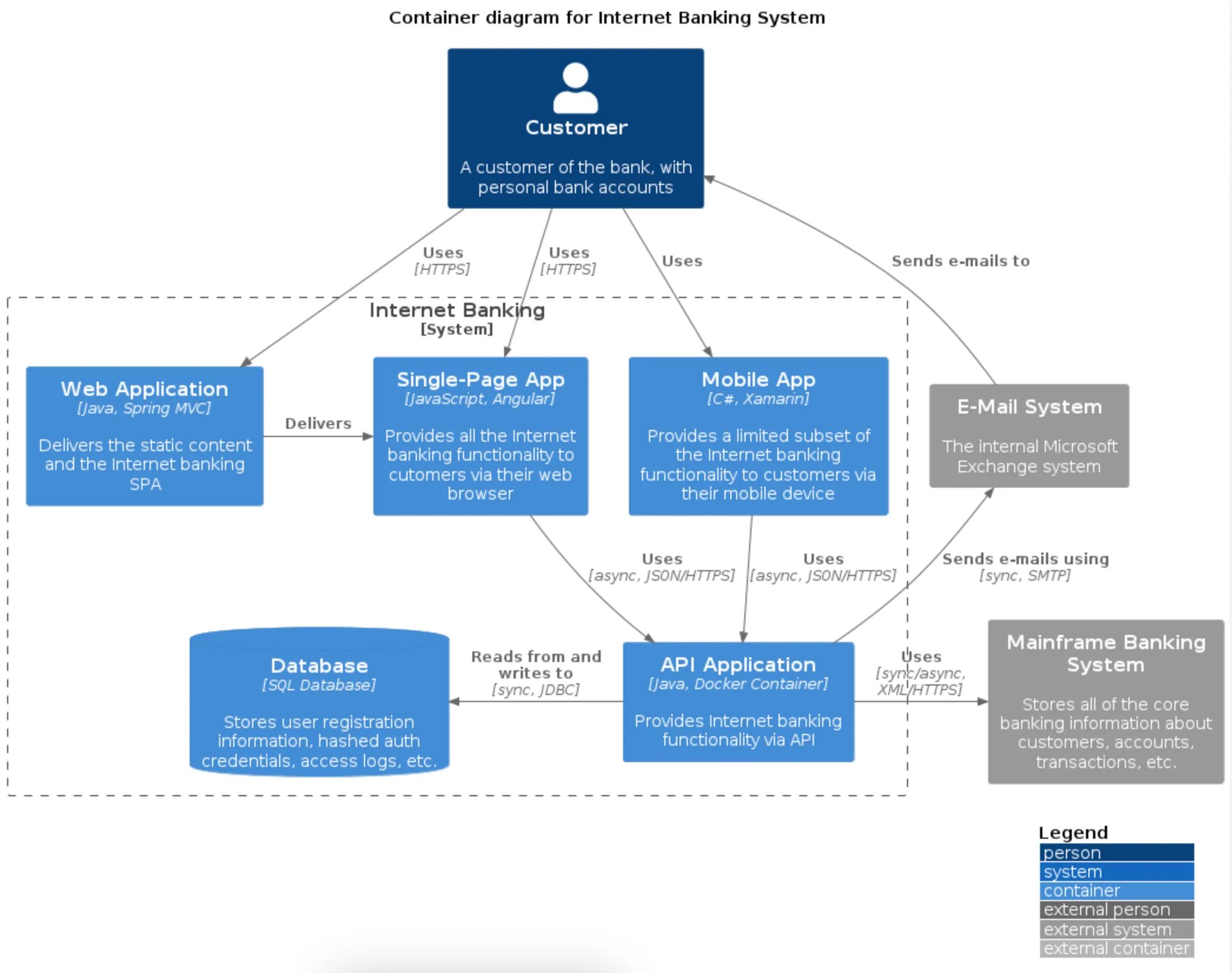
AWS architecture diagram
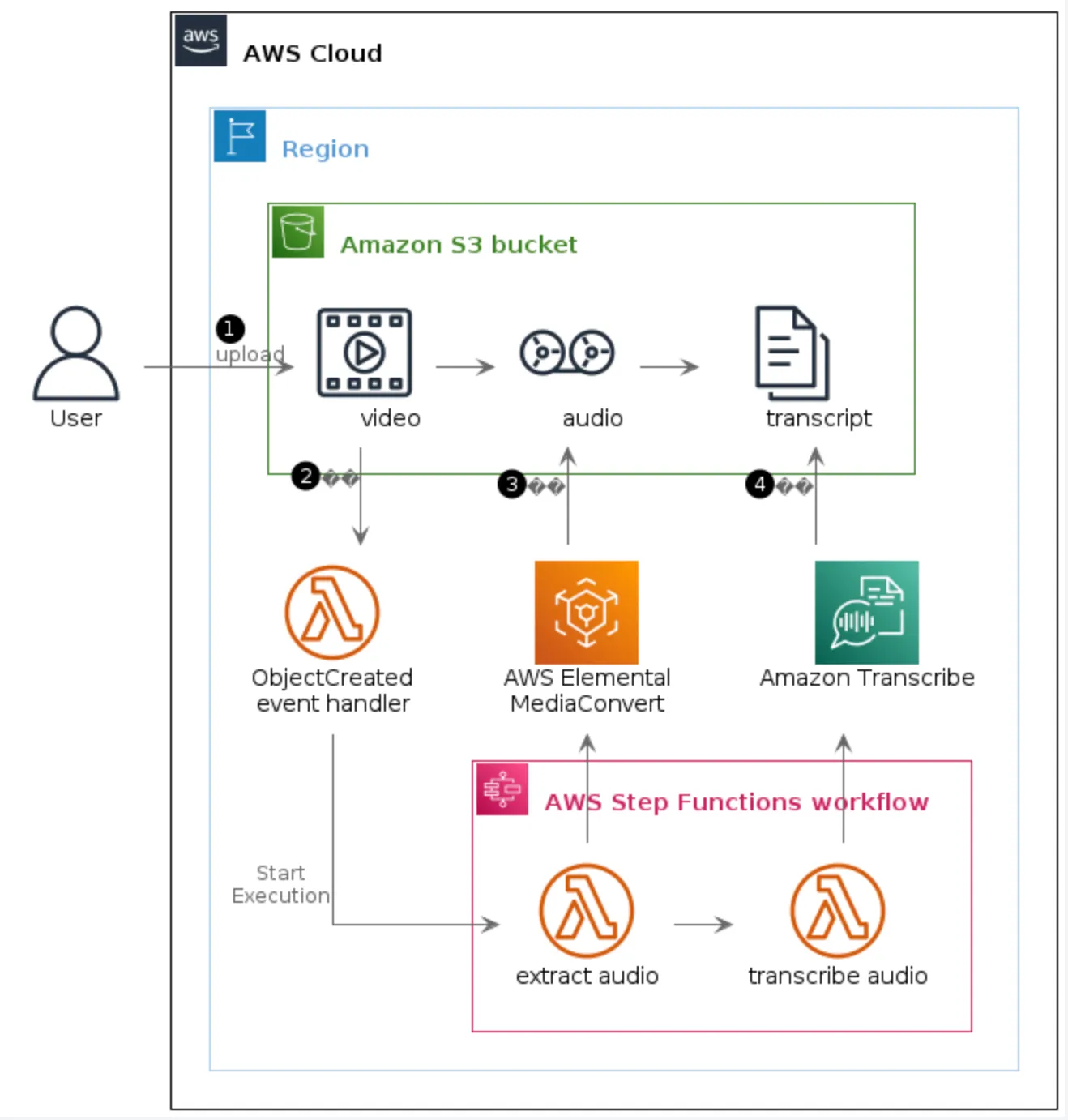
Section titled “AWS architecture diagram”@startuml S3 Upload Workflow!pragma layout smetana'Copyright 2019 Amazon.com, Inc. or its affiliates. All Rights Reserved.'SPDX-License-Identifier: MIT (For details, see https://github.com/awslabs/aws-icons-for-plantuml/blob/master/LICENSE)
!define AWSPuml https://raw.githubusercontent.com/awslabs/aws-icons-for-plantuml/v15.0/dist!include AWSPuml/AWSCommon.puml!include AWSPuml/AWSExperimental.puml!include AWSPuml/Groups/all.puml!include AWSPuml/Compute/LambdaLambdaFunction.puml!include AWSPuml/General/Documents.puml!include AWSPuml/General/Multimedia.puml!include AWSPuml/General/Tapestorage.puml!include AWSPuml/General/User.puml!include AWSPuml/MediaServices/ElementalMediaConvert.puml!include AWSPuml/MachineLearning/Transcribe.puml!include AWSPuml/Storage/SimpleStorageService.puml
' define custom group for Amazon S3 bucketAWSGroupColoring(S3BucketGroup, #FFFFFF, AWS_COLOR_GREEN, plain)!define S3BucketGroup(g_alias, g_label="Amazon S3 bucket") AWSGroupEntity(g_alias, g_label, AWS_COLOR_GREEN, SimpleStorageService, S3BucketGroup)
' Groups are rectangles with a custom style using stereotype - need to hidehide stereotypeskinparam linetype orthoskinparam rectangle { BackgroundColor AWS_BG_COLOR BorderColor transparent}
rectangle "$UserIMG()\nUser" as userAWSCloudGroup(cloud){ RegionGroup(region) { S3BucketGroup(s3) { rectangle "$MultimediaIMG()\n\tvideo\t" as video rectangle "$TapestorageIMG()\n\taudio\t" as audio rectangle "$DocumentsIMG()\n\ttranscript\t" as transcript
user -r-> video: <$Callout_1>\lupload video -r-> audio audio -r-> transcript }
rectangle "$LambdaLambdaFunctionIMG()\nObjectCreated\nevent handler" as e1 rectangle "$ElementalMediaConvertIMG()\nAWS Elemental\nMediaConvert" as mediaconvert rectangle "$TranscribeIMG()\nAmazon Transcribe\n" as transcribe
video -d-> e1: <$Callout_2> e1 -[hidden]r-> mediaconvert mediaconvert -[hidden]r-> transcribe mediaconvert -u-> audio: <$Callout_3> transcribe -u-> transcript: <$Callout_4>
StepFunctionsWorkflowGroup(sfw) { rectangle "$LambdaLambdaFunctionIMG()\nextract audio" as sfw1 rectangle "$LambdaLambdaFunctionIMG()\ntranscribe audio" as sfw2
e1 -r-> sfw1: Start\nExecution sfw1 -r-> sfw2 sfw1 -u-> mediaconvert sfw2 -u-> transcribe } }}
@enduml