Space Manager
Open Apps → Better Pages Space Manager to review content across the spaces you can access. Every operation runs as your current Confluence account and is checked again immediately before a change.
Select a screenshot to inspect its full-size controls and exact plan.
Review an inventory
Section titled “Review an inventory”- Select one or more spaces and the Published, Draft, or Archived states.
- Select Refresh inventory.
- Filter by text, status, owner, order, or effective access.
- Choose visible columns and select published pages for an action.
Draft and archived rows are available for review but are not selectable for page actions.
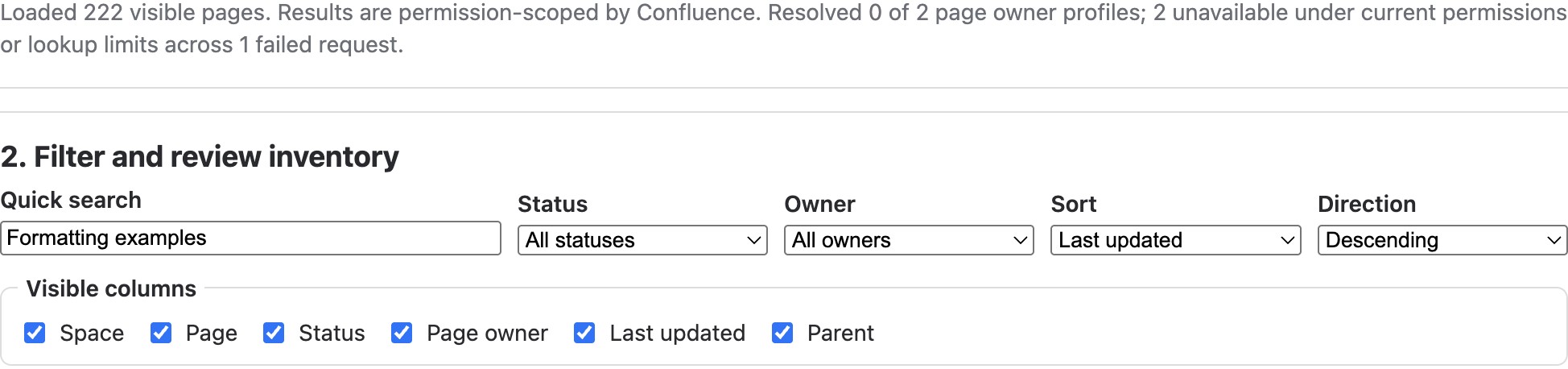
Quick search narrows the loaded inventory; visible-column choices control the table. This development example could not resolve its owner profiles. Do not treat an unavailable profile as an absent page owner.
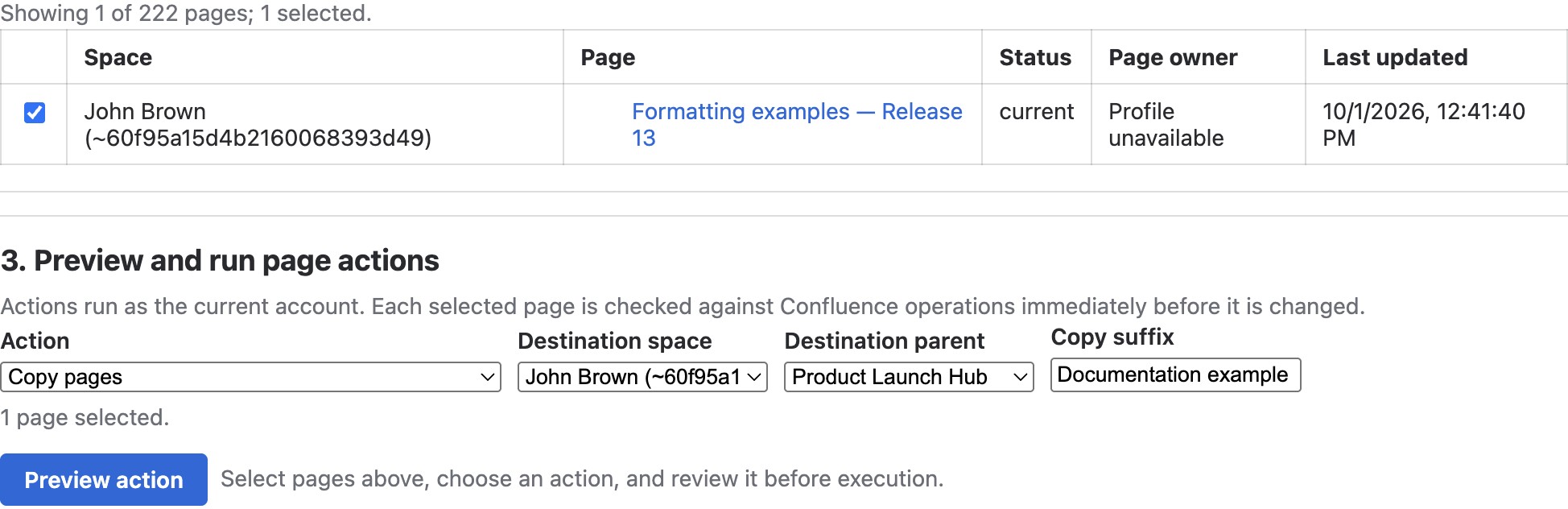
The selected page is Formatting examples — Release 13. Parent is hidden in this table view to keep the row readable; the copy destination below uses Product Launch Hub as its parent.
Preview and run page actions
Section titled “Preview and run page actions”Select pages, choose an action, and review the exact plan before confirming. Available actions include copy, move, add or remove a label, set or clear a content status, add or remove your restriction, archive, and move to trash.
Copy and move require a destination space and optional parent. Actions may stop partway if Confluence permissions or page state change; completed operations are listed so you can review and recover them.
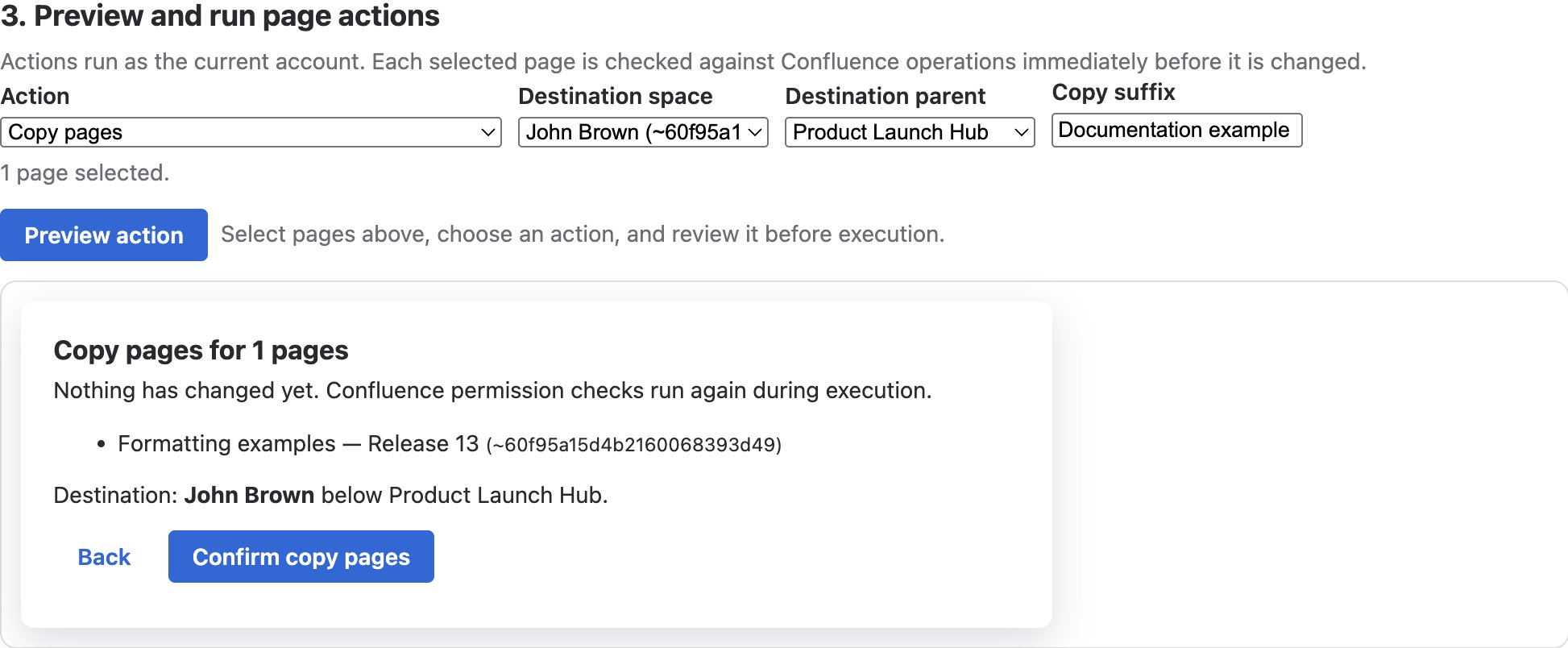
The plan says Nothing has changed yet and permissions are rechecked during execution. This screenshot was captured before confirmation; Back was used afterward. No copy was performed to obtain the image.
Create a hierarchy
Section titled “Create a hierarchy”Enter a line-based outline, choose a destination and optional existing parent, then select blank content or any Better Pages page starter. Indentation defines the hierarchy. You can override the starter for individual pages and optionally restrict new pages to yourself when Confluence allows it.
For example, enter a top-level handbook and indent its children by two spaces:
Launch handbook Preparation Launch day Support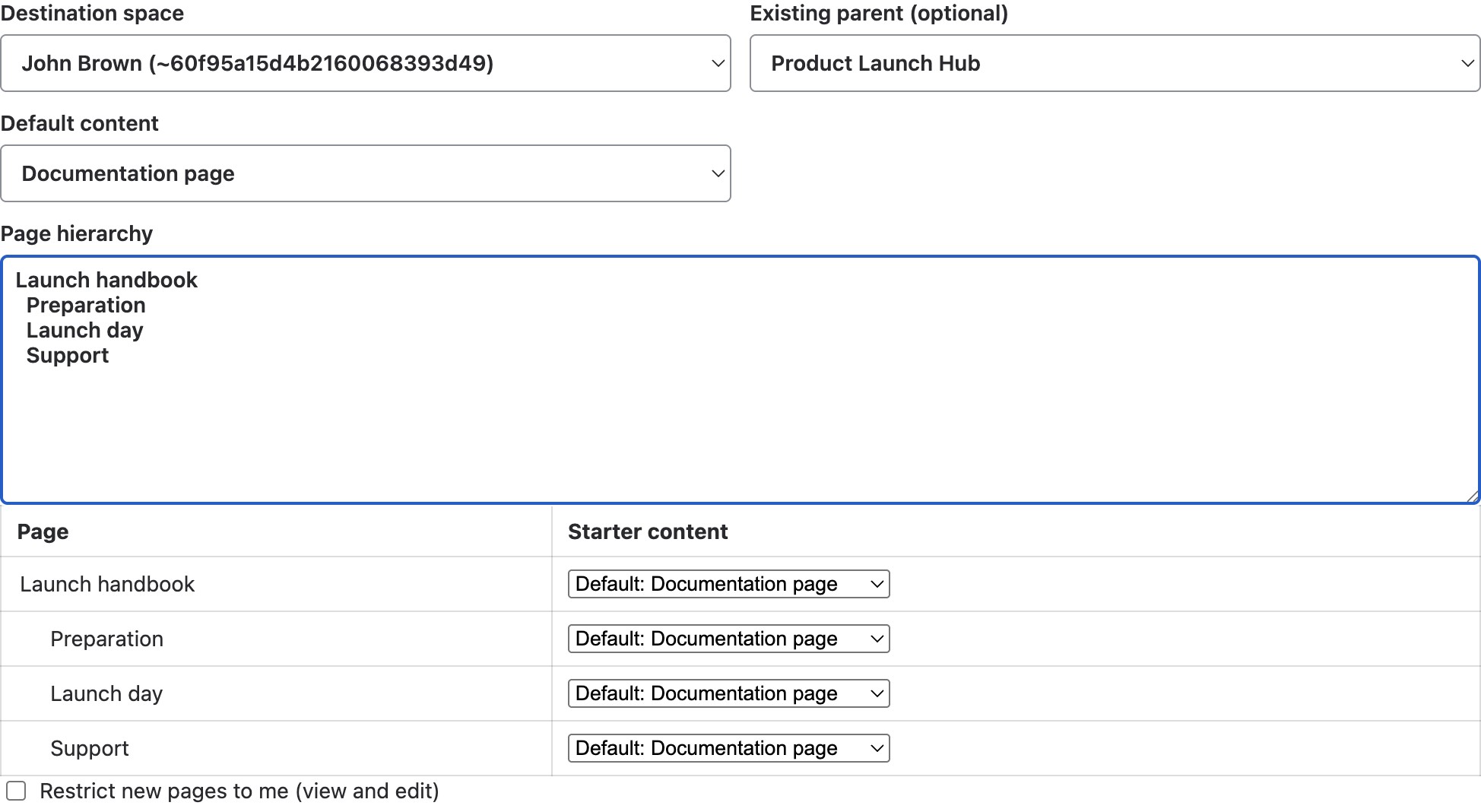
Check the destination and existing parent before previewing. The per-page starter choices are shown below the outline; Restrict new pages to me is not selected in this example.
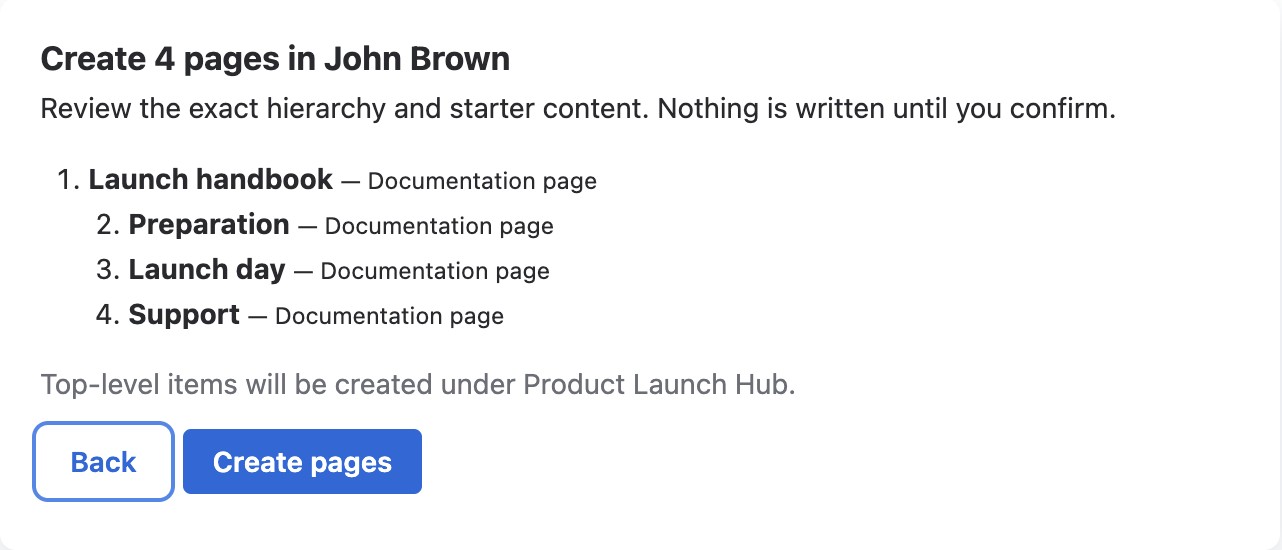
The exact plan places the top-level handbook under Product Launch Hub. Back returns to configuration; Create pages is the write action. This capture is preview-only—none of these four pages was created.
Good practice
Section titled “Good practice”- Start with a narrow inventory and confirm page titles and spaces.
- Preview every write operation; pay special attention to move, archive, and trash actions.
- Use a private test hierarchy before creating a large live structure.
- Refresh after completion and verify the resulting hierarchy and restrictions.